
Mimic: the AI UGC editor, and how ClipEasy compares
For creators and brands editing UGC videos and UGC ads: what Mimic does and costs a month, and why ClipEasy, coming soon, edits the whole raw take for you, up to 10 videos at once.
Get early access Coming soon to iOS and Android
Record it once. Post it in minutes.
Leave the stumbles in. ClipEasy cuts them out and adds captions, and you change anything in a few taps. Coming soon to iOS and Android.
Mimic
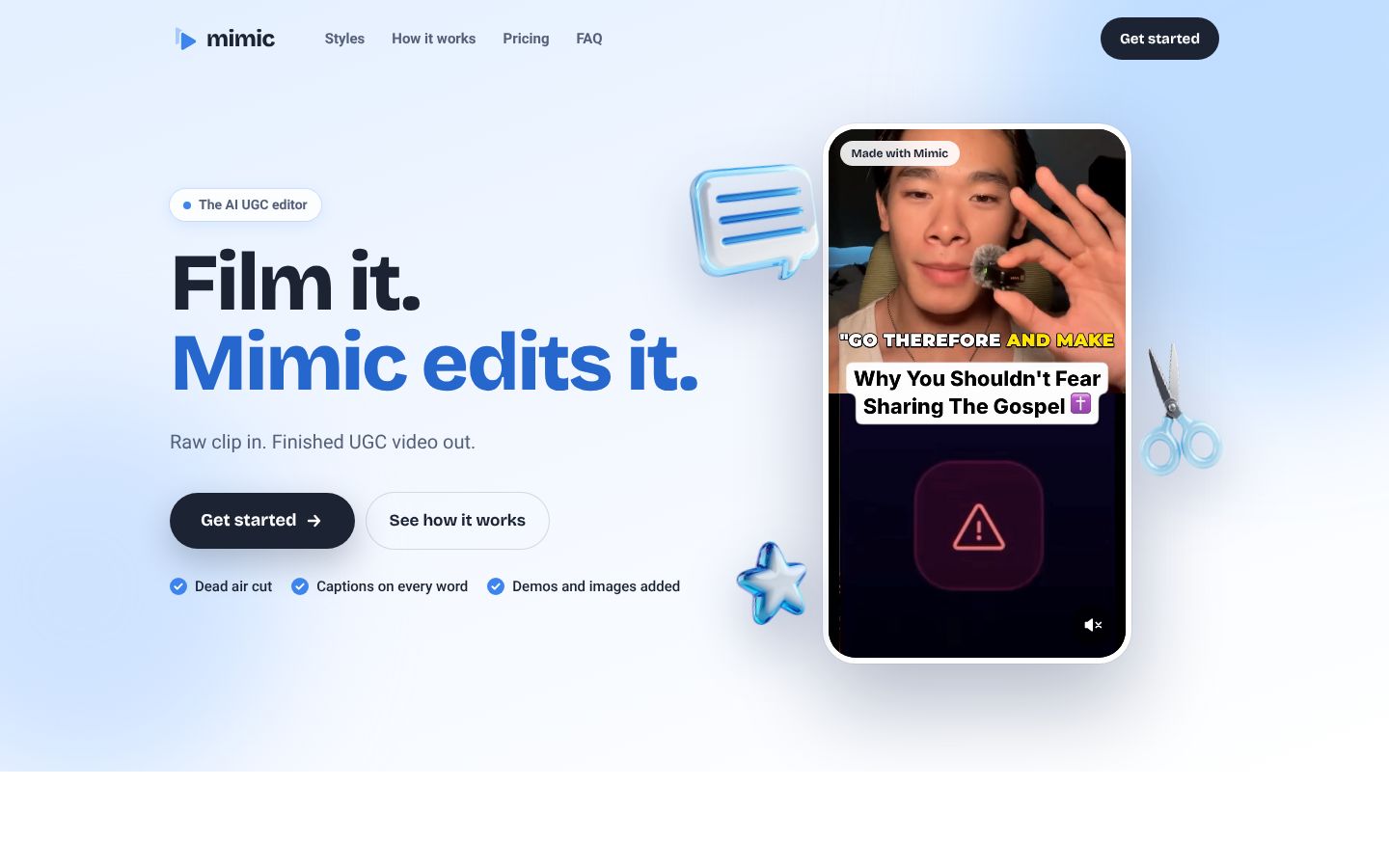
Mimic (trymimic.app) is an AI video editor built for UGC. You pick a UGC style, either one of its built-in styles or any UGC video you import as a reference, then drop in your raw clip plus any product shots or screen recordings. Mimic transcribes what you say, trims pauses, ums and false starts, times captions to every word in the style's font, highlight and position, and adds the zooms, cards, pops and whooshes that style uses. You can then change captions, cuts, timing and sounds by tapping them, or tell the editor what to change in plain words. It runs in a phone's browser and on a laptop, and markets to UGC creators, brands and agencies.
Best for: UGC creators, brands and agencies who want a raw clip turned into a styled UGC video that copies the look of a reference ad, with word-timed captions, zooms, sound effects and product demos added.
- Cuts dead air automatically: pauses, ums and false starts are trimmed
- Captions timed to every word, in the chosen style's font, highlight and position
- Import any UGC video as a style reference and match its caption look, pacing, cuts and effects
- Twelve named built-in styles, including Split screen, Bold keywords, App demo, POV hook and Headline hook
- Places product shots or screen recordings you drop in alongside your clip
- Adds punch-in zooms on key lines plus pops and whooshes where the style uses them
Mimic and ClipEasy plans: what each includes, not just the price
| App | Plan | Price | Billing | Includes |
|---|---|---|---|---|
| Mimic | Creator | $23.33/mo ($280 billed yearly) | Billed yearly | About $23.33 a month; 100 videos a month, about $0.23 a video; Each new video counts once; unused videos don't roll over; allowance resets on the 1st of each month. 100 videos a month |
| Mimic | Studio | $40/mo ($480 billed yearly) | Billed yearly | About $40.00 a month; 300 videos a month, about $0.13 a video; Each new video counts once; unused videos don't roll over; allowance resets on the 1st of each month. 300 videos a month |
Prices as of 2026-11-07, from each app's own pricing page.
ClipEasy and Mimic, feature by feature
| Feature | ClipEasy | Mimic |
|---|---|---|
| Audio cleanup | Yes | — |
| Overlap audio blended across cuts | Yes | — |
| Tightens the opening | Yes | — |
| Edits several different videos at once | Up to 10 | — |
| Teleprompter that follows your voice | Yes | — |
| Teleprompter keeps up if you skip a line | Yes, it finds your line, or you tap the next card | — |
| Script waits when you pause | Yes, each word fades as you say it | — |
| Take stops on its own after the last line | Yes, three seconds after your last line | — |
| Cut checked against your script | Yes, keeps the take where you got each line right | — |
| Batch edits run while you do something else | Yes | — |
| Cuts dead air and pauses | Yes | Yes |
| Removes filler words | Yes | Yes |
| Removes retakes and false starts | Yes | False starts yes; retakes not stated |
| Auto captions | Yes | Yes |
| Edit it yourself after the AI edit | Yes | Yes |
| Film in the app or upload a take | Yes | Upload a clip; filming in the app not stated |
| iPhone app | Coming soon | Runs in the phone's browser |
| Android app | Coming soon | Runs in the phone's browser |
| Works without editing experience | Yes, ClipEasy does the cutting | Yes |
| Ready to post on TikTok, Reels and Shorts | Yes, save it to your phone and post anywhere | Yes |
- Tightens the opening: You can ask the editor to "Cut the first line"; an automatic opening trim is not mentioned.
- Cuts dead air and pauses: "Dead air cut automatically"; Mimic cuts the pauses.
- Removes filler words: "Pauses, ums and false starts are trimmed."
- Removes retakes and false starts: Site says false starts are trimmed; repeated retakes are not mentioned.
- Auto captions: Captions timed to every word, in the style's font, highlight and position.
- Edit it yourself after the AI edit: Tap captions, cuts, timing and sounds to change them, or tell the editor in plain words.
- Film in the app or upload a take: Steps are "Drop in your clip"; filming in the app is not described.
- iPhone app: FAQ: runs in your phone's browser; add it to your Home Screen to use it like an app.
- Android app: FAQ: runs in your phone's browser and on your laptop.
- Works without editing experience: FAQ: no editing experience needed; most videos are ready to post as they come out.
- Ready to post on TikTok, Reels and Shorts: "Captioned, cut and ready to post"; edit anything, then save or share.
How ClipEasy and Mimic handle a raw talking-to-camera take
The whole raw take, edited for you
ClipEasy cuts pauses and filler, removes retakes and false starts, adds captions, cleans up the audio, blends it across each cut and tightens the opening. Mimic's site names pauses, ums, false starts and captions.
Up to 10 product videos at once
Add one raw take per product and ClipEasy edits up to 10 different videos at once while you do something else, so a batch of product videos gets cut in one go.
A teleprompter that follows your voice
Film in ClipEasy with a script that waits when you pause, keeps up if you skip a line and stops the take three seconds after your last line. The cut then keeps the take where you got each line right.
No style to pick before every edit
ClipEasy edits the take as you filmed it. Every Mimic edit starts from a built-in style or an imported reference video, a choice you make for each video in a day of many takes.
Built as an app for iOS and Android
ClipEasy is coming soon as an app on both iPhone and Android. Mimic runs in a phone's browser, which you add to your Home Screen to use like an app, and on a laptop.
Change anything yourself afterwards
After ClipEasy edits, you adjust anything in a few taps. Mimic also lets you tap captions, cuts, timing and sounds, or type a request in plain words.
Where Mimic is ahead today
Mimic is available now and copies a reference UGC ad's look, with 12 built-in styles, product shots placed, punch-in zooms, pops and whooshes, which ClipEasy does not list.
Mimic: pros and cons
- Cuts pauses, dead air and filler and removes retakes and false starts, so you keep talking and leave the mistakes in
- Captions, audio cleanup, overlap audio across each cut and a tighter opening are part of the automatic edit
- Edits up to 10 different videos at once, one per product, while you do something else
- Teleprompter follows your voice, stops the take on its own, and the cut keeps the take where you got each line right
- Film in the app or upload a take, with no style to choose first
- Being built for both iOS and Android, and needs no editing experience
- Not out yet: coming soon to iOS and Android, with early access through the waitlist
- Edits your own footage; it does not generate AI-actor videos or copy a reference ad's style and effects
UGC videos and ads ClipEasy is being built for
Product videos in a batch
Give ClipEasy up to 10 raw takes, one for each product, and it edits every one of them while you do something else.
Talking-to-camera ads
Give ClipEasy a raw take with pauses and stumbles left in, and get back an ad with the mistakes cut, captions added and the opening tightened.
Testimonial-style videos
Talk naturally and start over when you need to. ClipEasy removes the retakes and false starts and blends the audio across each cut.
Scripted videos with the teleprompter
Bring your script and read it into the lens. The teleprompter follows your voice, and ClipEasy keeps the take where you got each line right.
Unboxing and first impressions
Film your first reaction in one take. ClipEasy cuts the dead air and filler and adds captions, so the video is ready to post.
Reviews filmed in one go
Record the whole review without stopping. ClipEasy cuts the pauses and false starts and cleans up the audio, and you can adjust anything in a few taps.
Questions people ask
Is the Mimic app free?
Mimic's pricing page lists two paid plans, both billed yearly: Creator at $23.33 a month ($280 a year) for 100 videos a month, and Studio at $40 a month ($480 a year) for 300 videos a month. ClipEasy, coming soon, will have 3 plans between $15 and $60 a month.
What is Mimic?
Mimic is an AI video editor for UGC that runs in a phone's browser and on a laptop. You pick a built-in style or import a reference video, drop in your raw clip, and it trims pauses, ums and false starts, times captions to every word and adds the style's zooms and sound effects.
Which is better for editing UGC videos and UGC ads, Mimic or ClipEasy?
For talking-to-camera UGC videos and ads, ClipEasy: it cuts pauses, filler, retakes and false starts, adds captions, cleans up the audio and tightens the opening, for up to 10 videos at once, with no style to pick first. Mimic suits copying a reference ad's look with zooms and sound effects, or a reader who needs an editor today, since ClipEasy is coming soon.
How much do Mimic's plans cost, and what will ClipEasy cost?
Mimic Creator is $23.33 a month ($280 a year) for 100 videos, about $0.23 a video, and Studio is $40 a month ($480 a year) for 300 videos, about $0.13 a video; unused videos don't roll over. ClipEasy will have 3 plans, between $15 and $60 a month, coming soon. Plan names and exact prices are not decided, so the table above compares what each plan includes.
Can I film with a teleprompter in Mimic or ClipEasy?
ClipEasy has a teleprompter built in, and you can film in the app or upload a take you already have. Its script waits when you pause, keeps up if you skip a line and stops the take three seconds after your last line, and the cut keeps the take where you got each line right. Mimic's steps start with dropping in a clip you already filmed.
When is ClipEasy available on iOS and Android?
ClipEasy is coming soon to both iOS and Android. Join the waitlist on clipeasy.app for early access.
Why choose ClipEasy over Mimic for talking-to-camera videos?
ClipEasy is built to finish the raw take for you: it cuts pauses, filler, retakes and false starts, adds captions, cleans up the audio, blends it across each cut and tightens the opening, with no style to choose first. It also edits up to 10 product videos at once and lets you film with a teleprompter that guides the cut. It is coming soon to iOS and Android.
Similar apps
ClipEasy vs Mimic
Mimic alternatives
CapCut: features, pricing and reviews
Opus Clip: features, pricing and reviews
Descript: features, pricing and reviews
Captions: features, pricing and reviews
Submagic: features, pricing and reviews
BIGVU: features, pricing and reviews
InShot: features, pricing and reviews
Videoleap: features, pricing and reviews
Splice: features, pricing and reviews
VN: features, pricing and reviews
Edits: features, pricing and reviews
Mashcut: features, pricing and reviews
CutUGC: features, pricing and reviews
CutAI: features, pricing and reviews
PromptSmart: features, pricing and reviews
BlitzCut: features, pricing and reviews
Teleprompter.com: features, pricing and reviews
Edit up to 10 product videos at once
Add a video for each product and ClipEasy edits every one while you do something else. Join the waitlist to get it on launch day.