
Captions: the AI video editor, its plans and where it fits for talking videos
For creators and small businesses who make talking videos and video ads: what Captions does, what each plan costs a month, and why ClipEasy, coming soon, does the whole edit for you, up to 10 videos at once.
Get early access Coming soon to iOS and Android
Record it once. Post it in minutes.
Leave the stumbles in. ClipEasy cuts them out and adds captions, and you change anything in a few taps. Coming soon to iOS and Android.
 Captions
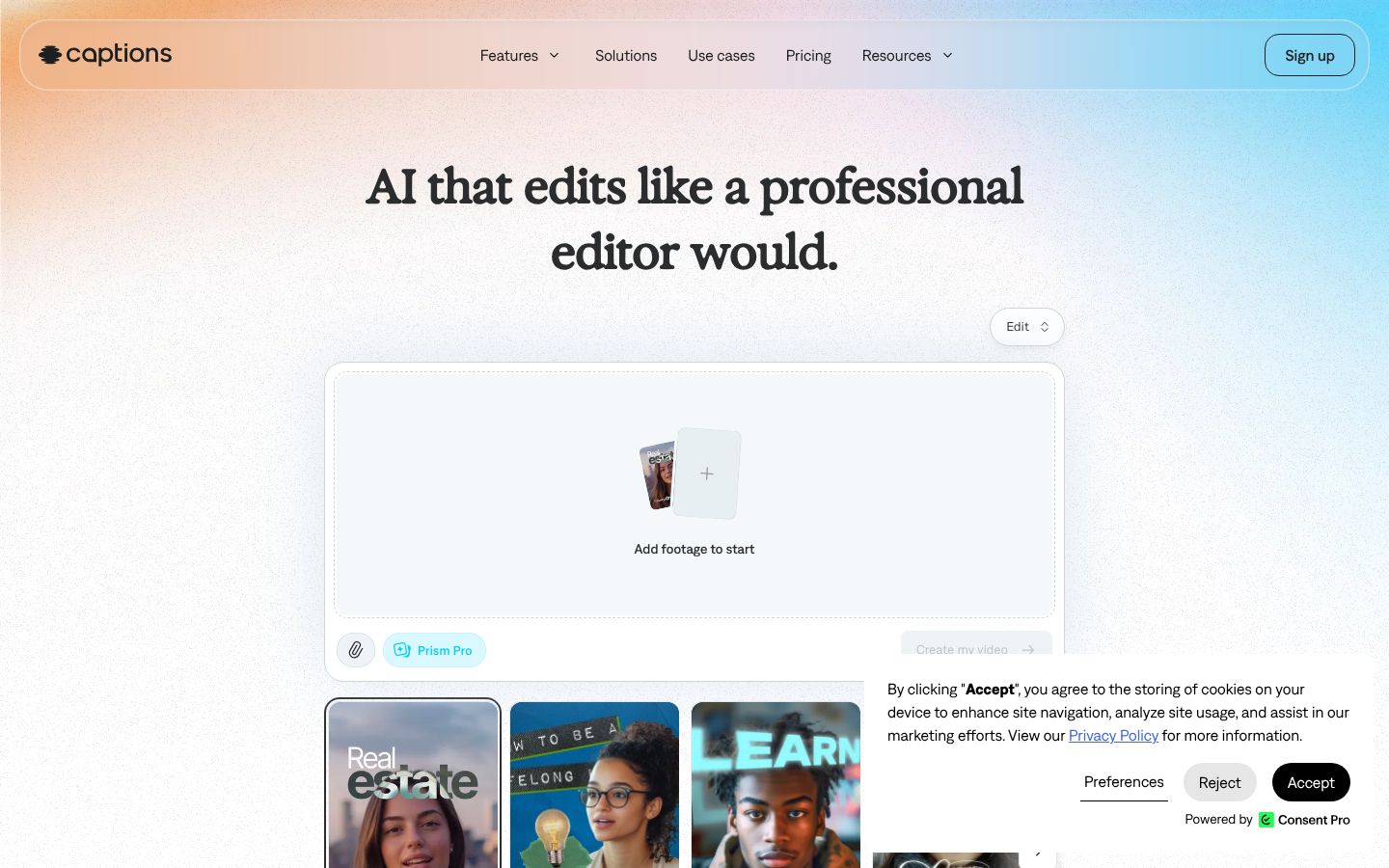
Captions, built by Mirage, is an AI video editor and video generator. You upload or record footage, pick an AI Edit style, and it cuts scenes, adds B-roll, zooms, music and transitions, then lets you tweak the result in a simple editor or by typing requests to a chat-based editor. It also auto-generates captions in 100+ caption styles, translates and dubs videos, removes background noise, trims pauses and filler words, and corrects eye contact. Beyond editing your own footage, it can generate AI actors, AI twins from a selfie, and AI images, video, music and voiceovers. AI features run on monthly credits. It is on iPhone and Mac through the App Store and on the web. On Android it is offered as Captions Lite, a separate app with manual editing tools.
Best for: Creators and small businesses who want one app that auto-edits, captions, translates and stylizes short social videos and ads, and who also want AI avatars and generated media.
- AI Edit edits a whole video from a chosen style: cuts scenes, overlays B-roll, adds zooms, music and transitions
- Auto captions with 100+ caption styles and customizable fonts and colors
- Trim pauses feature gets rid of unwanted pauses, filler words and other interruptions
- AI Denoise automatically removes background noise from talking videos
- Chat-based editor applies changes such as effects, transitions, B-roll and pacing from plain-language requests
- Subtitles in 100+ languages and dubbing into 29 languages
Captions plans compared: what each one includes a month, not just its price
| App | Plan | Price | Billing | Includes |
|---|---|---|---|---|
| Captions | Free | $0 | Free | 60 to 200 lifetime credits (no refresh), one caption template, captions, camera, trim, zoom, sounds, transitions, resize, exports with no watermark |
| Captions | Lite | $4.99/mo | Monthly, Android only | Android only; manual editing tools, no AI Edit listed. Manual editing tools on Android: captions, translation, dubbing, caption styles, camera, teleprompter, AI script, eye contact, denoise, auto-trim |
| Captions | Basic | $9.99/mo | Monthly or yearly (yearly price not stated) | No watermark; no AI Edit or chat-based editor. 200 credits a month, exports with no watermark, script generator, camera and teleprompter, caption and dub, eye contact, denoise, censor, zoom, trim |
| Captions | Max | $24.99/mo | Monthly or yearly (yearly price not stated) | No watermark; credits used even if not exported; prices reflect iOS plans. 500 credits a month, AI Edit, chat-based editor, Clips, AI actors, up to 30 AI Twins, up to 2 concurrent video generations |
| Captions | Frontier | $69.99/mo | Monthly or yearly (yearly price not stated) | No watermark; credits cap at 3x monthly allowance. Everything in Max, 1,400 credits a month, most advanced generative AI models, faster generations |
| Captions | Frontier 2x | $139.99/mo | Monthly or yearly (yearly price not stated) | No watermark; credits cap at 3x monthly allowance. Everything in Frontier with 2,800 credits a month |
| Captions | Frontier 4x | $279.99/mo | Monthly or yearly (yearly price not stated) | No watermark; top-up credits available. Everything in Frontier with 5,600 credits a month; top-up credits available |
Prices as of 2026-11-07, from each app's own pricing page.
ClipEasy and Captions, feature by feature for talking videos and ads
| Feature | ClipEasy | Captions |
|---|---|---|
| Removes retakes and false starts | Yes | — |
| Fixes overlapping audio | Yes | — |
| Tightens the opening | Yes | — |
| Edits several different videos at once | Up to 10 | — |
| No scroll speed to set | Yes, the script follows your voice and waits when you pause | — |
| Teleprompter keeps up if you skip a line | Yes, it finds your line, or tap the next card | — |
| Take stops on its own | Yes, three seconds after your last line | — |
| Cut checked against your script | Yes, keeps the take where you got each line right | — |
| Batch edits run while you do something else | Yes | — |
| Cuts dead air and pauses | Yes | Yes |
| Removes filler words | Yes | Yes |
| Auto captions | Yes | Yes, 100+ caption styles |
| Audio cleanup | Yes | Yes, AI Denoise |
| Edit it yourself after the AI edit | Yes, in a few taps | Yes |
| Teleprompter that follows your voice | Yes | Teleprompter; following your voice not stated |
| Film in the app or upload a take | Yes, both | Yes, both |
| iPhone app | Coming soon | Yes |
| Android app | Coming soon | Yes, Captions Lite |
| Works without editing experience | Yes, ClipEasy does the cutting | Yes |
| Save to phone and post anywhere | Yes, TikTok, Reels, Shorts or anywhere else | Yes, exports |
- Edits several different videos at once: Max lists concurrent video generation (up to 2), which is for generation, not editing your takes
- Cuts dead air and pauses: Trim pauses: get rid of unwanted pauses, filler words and other interruptions
- Removes filler words: Same Trim pauses feature lists filler words
- Auto captions: Free plan gets 1 caption template
- Audio cleanup: Automatically removes background noise from talking videos
- Edit it yourself after the AI edit: Simple editor for tweaks, or chat-based editor (chat editor on Max and up)
- Teleprompter that follows your voice: AI Teleprompter: read directly from your script while recording in-app
- Film in the app or upload a take: Upload or record your video; in-app camera
- iPhone app: App Store listing covers iPhone and Mac
- Android app: Lite plan offers tools for manual editing on Android
- Works without editing experience: No experience required; edits with simple prompts
- Save to phone and post anywhere: Plans include exports with no watermark
Where ClipEasy and Captions differ for talking videos
The whole edit, done on its own
ClipEasy cuts pauses, dead air and filler, removes retakes and false starts, adds captions, cleans the audio and tightens the opening. Captions trims pauses and filler, auto-captions and denoises. Its full AI Edit needs Max or higher.
Up to 10 videos at once
Upload one take per product and ClipEasy edits up to 10 different videos while you do something else. Captions' Max plan lists up to 2 concurrent video generations, which is for generating video.
A teleprompter that follows your voice
ClipEasy's script follows your voice, keeps up if you skip a line and stops the take after your last line. Then it keeps the take where you got each line right. Captions has a teleprompter in its camera.
The same app on iOS and Android
ClipEasy is being built for both iPhone and Android. Captions runs on iPhone, Mac and web, and on Android it is Captions Lite, a separate app with manual editing tools.
Captions charges credits for each AI Edit
Each Captions AI Edit uses 10 to 40 credits, even if you never export it, and extra credits cannot be bought, only upgraded. Ten product videos in an afternoon can add up quickly.
Change anything in a few taps
After ClipEasy edits a take, you can adjust any cut yourself. No editing experience is needed. Captions also lets you tweak its edit, in a simple editor or with the chat-based editor on Max and up.
What Captions does that ClipEasy does not
Captions generates AI actors, AI twins, B-roll, music and voiceovers, and it dubs into 29 languages. ClipEasy edits your real face and footage. ClipEasy is not out yet, and Captions can be used today.
Captions: pros and cons
- Auto captions in 100+ caption styles, with custom fonts and colors
- Trim pauses cuts pauses and filler words, and AI Denoise removes background noise from talking videos
- Available today on iPhone, Mac and web, with Captions Lite on Android
- Generates AI actors, AI twins and voiceovers and dubs into 29 languages, which ClipEasy does not do
- AI Edit and the chat-based editor need Max at $24.99 a month or higher. Basic at $9.99 a month leaves them out.
- Each AI Edit uses 10 to 40 credits, even if you never export it. You cannot buy extra credits, you can only upgrade.
- On Android you get Captions Lite, a separate app with manual editing tools
- The Free plan gives 60 to 200 lifetime credits that do not refresh, and one caption template
- Reviewers report long processing waits. The developer replied that Pro users may wait up to 360 minutes after six AI projects in a month.
- Reviewers report spending credits to fix AI edits that did not match what they asked for
What ClipEasy will edit for you
Product videos in a batch
Add up to 10 raw takes, one for each product, and ClipEasy edits every one of them while you do something else.
Talking-to-camera ads
Give ClipEasy a raw take with pauses and stumbles left in, and get back a cut, captioned ad with clean audio and a tighter opening.
Testimonial-style videos
Talk naturally and start over when you need to. ClipEasy removes the retakes, false starts and filler and adds captions.
Scripted videos with the teleprompter
Bring your script and read it into the lens. The teleprompter follows your voice, and ClipEasy keeps the take where you got each line right.
Unboxing and first impressions
Film your first reaction in one raw take. ClipEasy cuts the dead air and awkward moments and adds captions so it is ready to post.
Reviews filmed in one take
Record your review in one go, pauses and all. ClipEasy trims the silences and filler, cleans up the audio and tightens the opening.
Questions people ask
Which AI tool is best for writing captions?
For captions on talking videos you film yourself, ClipEasy is the one to wait for. It adds captions as part of an edit that also cuts pauses, filler, retakes and false starts and cleans the audio. Captions auto-captions in 100+ styles and is available today, while ClipEasy is coming soon to iOS and Android.
How much is the Captions app?
Captions costs from $0 a month on Free to $279.99 a month on Frontier 4x. The Free plan has 60 to 200 lifetime credits that do not refresh. Lite is $4.99 a month on Android only. Basic is $9.99 a month with 200 credits and no AI Edit. Max is $24.99 a month with AI Edit and 500 credits. Frontier is $69.99 or $139.99 a month. ClipEasy will have 3 plans, between $15 and $60 a month, coming soon, and the table above shows what each Captions plan includes.
How do you use Captions?
You upload or record footage and pick an AI Edit style. Captions then cuts scenes and adds B-roll, zooms, music and transitions, and you tweak the result in a simple editor or the chat-based editor. AI Edit needs Max or higher and uses 10 to 40 credits per edit.
How do you make AI captions?
Film or upload your take in an app that auto-captions it, then check the words and style before you post. Captions generates captions in 100+ styles. ClipEasy, coming soon, adds them in the same edit that cuts your pauses, filler and retakes.
Is ClipEasy or Captions better for editing talking videos and video ads?
ClipEasy is the pick for cutting your own talking videos and video ads. It removes pauses, filler, retakes and false starts, adds captions, cleans the audio and tightens the opening, for up to 10 videos at once. Captions is the pick if you need an app today or want AI actors and dubbing.
When will ClipEasy be available on iOS and Android?
ClipEasy is coming soon to both iOS and Android. Join the waitlist on clipeasy.app to get early access when it opens.
Why choose ClipEasy over Captions for videos you film for brands?
ClipEasy is built for that job. With one upload, up to 10 product videos are cut, captioned and given clean audio while you do something else. Its teleprompter follows your voice, and ClipEasy keeps the take where you got each line right. It is being built as the same app for iPhone and Android, coming soon.
Similar apps
ClipEasy vs Captions
Captions alternatives
CapCut: features, pricing and reviews
Opus Clip: features, pricing and reviews
Descript: features, pricing and reviews
Submagic: features, pricing and reviews
BIGVU: features, pricing and reviews
InShot: features, pricing and reviews
Videoleap: features, pricing and reviews
Splice: features, pricing and reviews
VN: features, pricing and reviews
Edits: features, pricing and reviews
Mimic: features, pricing and reviews
Mashcut: features, pricing and reviews
CutUGC: features, pricing and reviews
CutAI: features, pricing and reviews
PromptSmart: features, pricing and reviews
BlitzCut: features, pricing and reviews
Teleprompter.com: features, pricing and reviews
A teleprompter that follows your voice, built into the editor
No scroll speed to set, and the take stops on its own after your last line. ClipEasy then keeps the take where you got each line right.