
ClipEasy vs CutUGC for UGC videos and UGC ads
For UGC creators, brands and founders cutting retakes out of talking-head videos and UGC ads: the edit steps each app does, batch editing and phone support. ClipEasy is coming soon; CutUGC is out on iPhone.
Get early access Coming soon to iOS and Android
Weighing CutUGC? ClipEasy cuts your retakes for you
Film or upload a raw take and ClipEasy cuts the dead air, filler and false starts, then adds captions. Coming soon to iOS and Android.
- For cutting retakes out of UGC videos and UGC ads, ClipEasy is the pick. It cuts dead air, filler, retakes and false starts, then adds captions, cleans the audio and tightens the opening.
- ClipEasy edits up to 10 different talking-head videos at once, one per product, while you do something else. CutUGC batches up to 20 hook versions of one main video.
- ClipEasy is being built for iOS and Android. CutUGC is iPhone only and needs iOS 16.4 or later.
- ClipEasy has a teleprompter that follows your voice and keeps the take where you got each line right. No teleprompter is mentioned for CutUGC.
- ClipEasy is coming soon, with early access through the waitlist. CutUGC can be downloaded on iPhone today with a 3-day free trial.
 ClipEasy
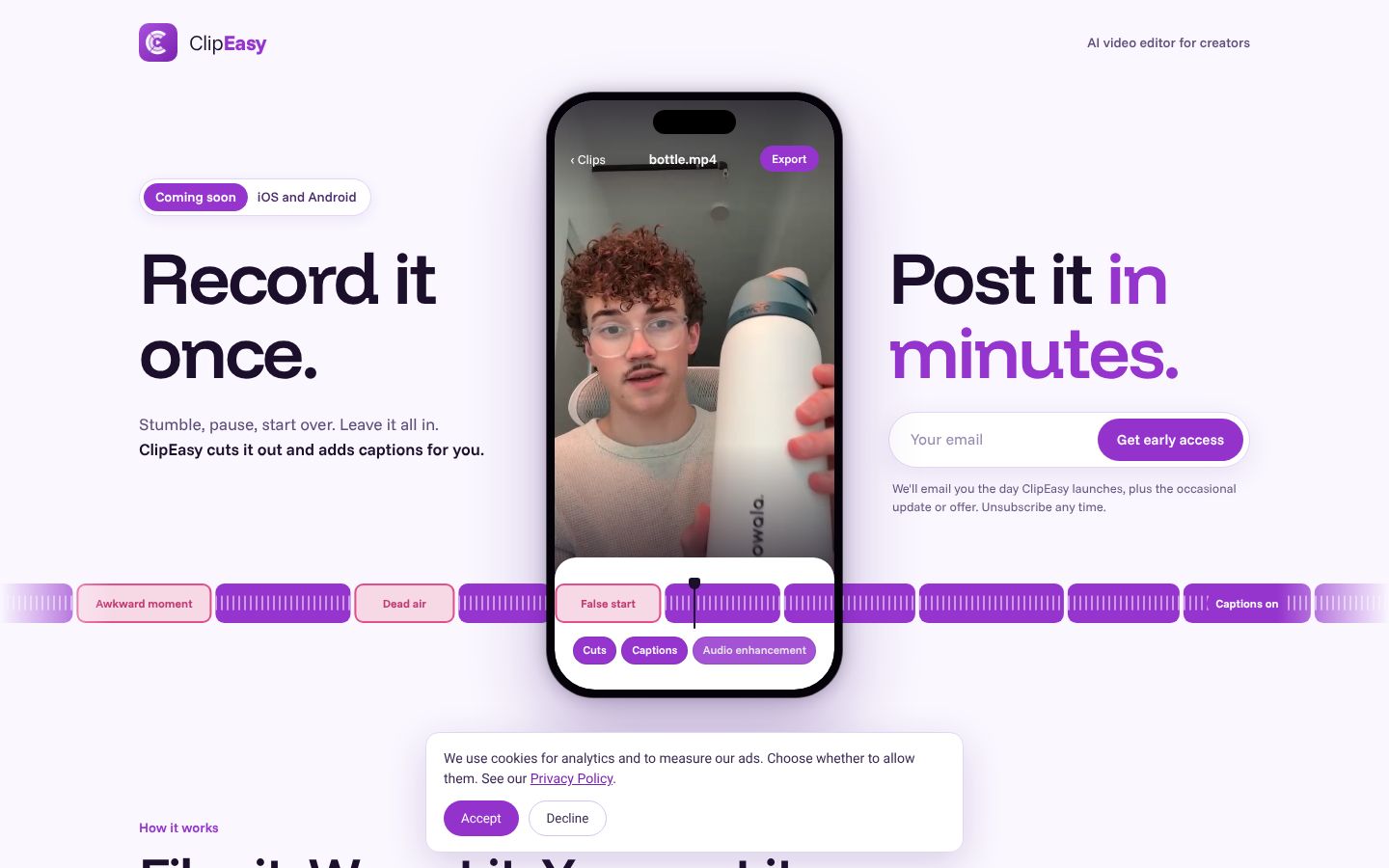
ClipEasy is an AI video editor for short-form and UGC creators who film talking-to-camera videos and ads for brands. You film a take on your phone or upload one you already have. ClipEasy then finds the mistakes and fixes them: it cuts dead air, pauses and filler, removes retakes and false starts, adds captions, cleans up the audio and tightens your opening, so the video is ready to post. If you want to change something, you edit it yourself in a few taps. It edits up to 10 different videos at once, one per product, while you do something else. It also has a teleprompter that follows your voice. It works on your real face and your real footage and does not generate actors. ClipEasy is coming soon to iOS and Android, with a waitlist on the homepage.
Best for: UGC creators who film talking-to-camera videos and ads for brands, often one per product, and want each raw take cut, captioned and ready to post without editing it by hand.
- Cuts dead air, pauses and filler and removes retakes and false starts from a raw take on its own, so you can keep talking and let ClipEasy do the cutting
- Adds captions, cleans up the audio, fixes overlapping audio and tightens your opening
- Edits up to 10 different videos at once, for example one for each product, while you do something else
- A teleprompter that follows your voice, keeps up if you skip, stops the take after your last line and lets ClipEasy keep the take where you got each line right
- You can still change anything yourself in a few taps after ClipEasy edits the video
 CutUGC
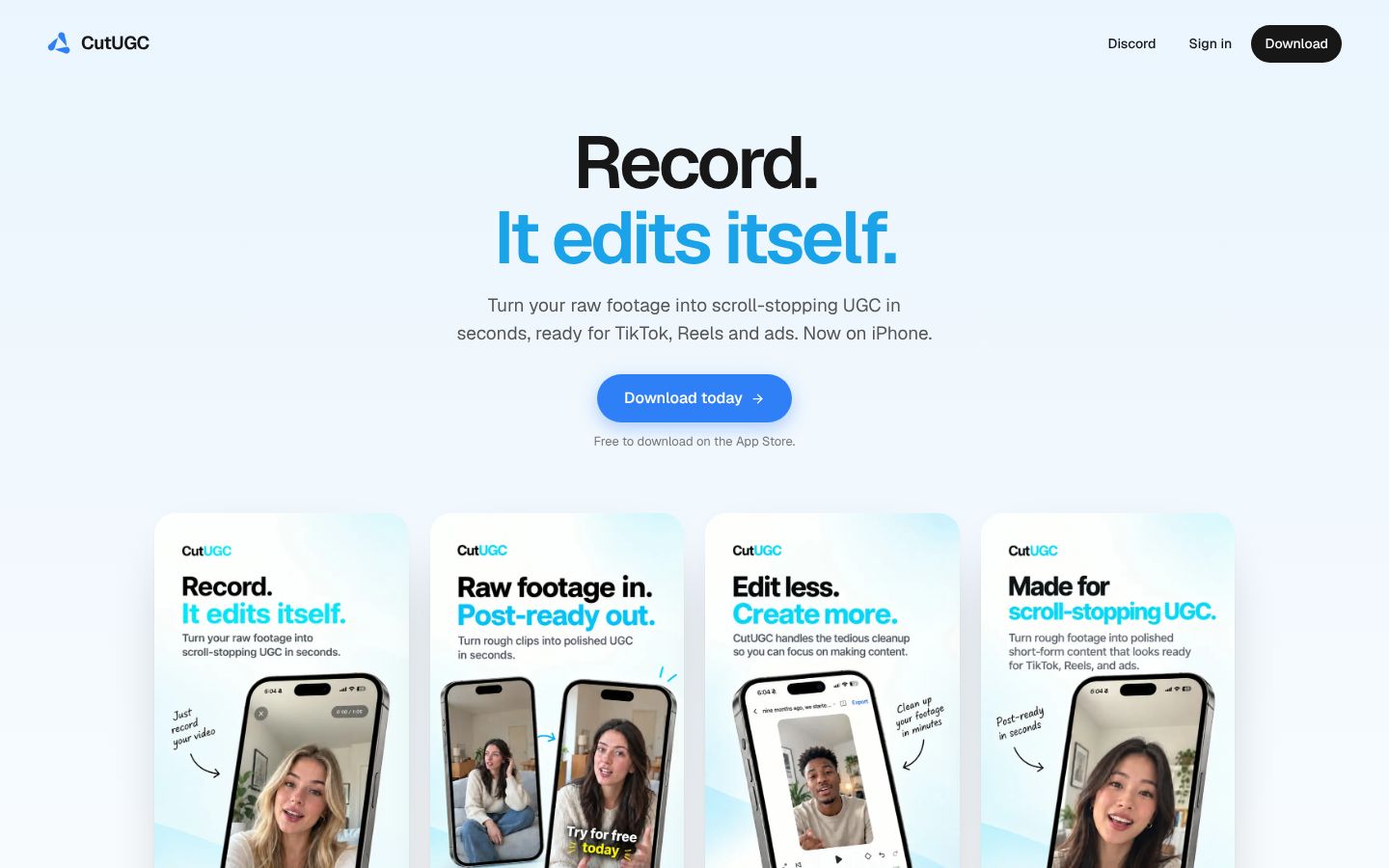
CutUGC is an iPhone app from Artiaid Software Inc. that turns a raw talking-to-camera clip into a finished vertical video. You record in the app or import a clip of up to fifteen minutes. CutUGC keeps the best take of every line and removes the dead air, ums and false starts. Only the sound of the clip is sent for the AI edit, and the video stays on the phone. Afterwards you can adjust every cut by trimming, splitting, reordering or bringing a line back. You can also add text, captions, overlays and audio. A Hook Builder renders one finished 1080x1920 video for each of up to twenty hook clips placed in front of one main video. It is made for UGC creators, brands, agencies and founders who film a lot of raw footage with retakes.
Best for: iPhone users who are UGC creators, brands, agencies or founders. They film talking-head videos and UGC ads with retakes and want the cutting done for them, plus several hook versions of the same ad.
- Keeps the best take of every line and removes dead air, ums and false starts from a raw talking-to-camera clip
- Record in the app or import a clip from your library, up to fifteen minutes long
- Only the clip's audio is sent for the edit, so a long recording opens in the editor in seconds while the video stays on the phone
- Footage is only trimmed and cropped, never altered or generated, so the person on screen is always you
- Every AI cut can be changed by hand: drag clip edges to trim, split, reorder, or bring a line back
- Hook Builder renders a finished 1080x1920 video for each of up to twenty hook clips, matched in format and loudness
What you can make with ClipEasy from one raw take
Product videos in a batch
Add up to 10 raw takes, one for each product, and ClipEasy edits every one of them while you do something else.
Talking-to-camera ads
Give ClipEasy a raw take with pauses and stumbles left in, and get back a cut, captioned ad with clean audio and a tighter opening.
Testimonial-style videos
Talk naturally and start over when you need to. ClipEasy removes the retakes, false starts and filler and adds captions.
Scripted videos with the teleprompter
Bring your script and read it into the lens. The teleprompter follows your voice, and ClipEasy keeps the take where you got each line right.
Unboxing and first impressions
Film your first reaction in one raw take. ClipEasy cuts the dead air and awkward moments and adds captions so it is ready to post.
Reviews filmed in one take
Record your review in one go, pauses and all. ClipEasy trims the silences and filler, cleans up the audio and tightens the opening.
Edit steps, batch editing and phones: ClipEasy and CutUGC side by side
| Feature | ClipEasy | CutUGC |
|---|---|---|
| Audio cleanup | Yes | — |
| Fixes overlapping audio | Yes | — |
| Tightens the opening | Yes | — |
| Teleprompter that follows your voice | Yes | — |
| No scroll speed to set | Yes, the script follows your voice and waits when you pause | — |
| Teleprompter keeps up if you skip a line | Yes, it finds your line, or tap the next card | — |
| Take stops on its own | Yes, three seconds after your last line | — |
| Cut checked against your script | Yes, keeps the take where you got each line right | — |
| Batch edits run while you do something else | Yes | — |
| Cuts dead air and pauses | Yes | Yes |
| Removes filler words | Yes | Yes |
| Removes retakes and false starts | Yes | Yes |
| Auto captions | Yes | Captions you can style; auto not stated |
| Edit it yourself after the AI edit | Yes, in a few taps | Yes |
| Edits several different videos at once | Up to 10 | Up to 20 hook versions of one video |
| Film in the app or upload a take | Yes, both | Yes, both (up to 15 minutes) |
| iPhone app | Coming soon | Yes |
| Android app | Coming soon | Not listed; iPhone only |
| Works without editing experience | Yes, ClipEasy does the cutting | Yes |
| Save to phone and post anywhere | Yes, TikTok, Reels, Shorts or anywhere else | Yes, exports on your phone |
- Tightens the opening: Hook Builder swaps in different hook clips, but tightening the opening of a take is not mentioned
- No scroll speed to set: No teleprompter is mentioned
- Teleprompter keeps up if you skip a line: No teleprompter is mentioned
- Cut checked against your script: The AI picks the best take of each line; checking against a script is not mentioned
- Cuts dead air and pauses: Listing says the dead air is gone from the finished video
- Removes filler words: Listing says the ums are gone
- Removes retakes and false starts: Keeps the best take of every line; false starts gone
- Auto captions: Listing says you can style your captions; it does not say they are generated automatically
- Edit it yourself after the AI edit: Trim, split, reorder or bring a line back
- Edits several different videos at once: Hook Builder renders one video per hook on one main piece; editing different videos at once is not mentioned
- Android app: Site says Now on iPhone; listing says Only for iPhone
- Works without editing experience: Made for anyone who wants post-ready shorts without editing by hand
- Save to phone and post anywhere: A plain cut exports on the phone; site says ready for TikTok, Reels and ads
What each plan includes, not just what it costs
| App | Plan | Price | Billing | Includes |
|---|---|---|---|---|
| ClipEasy | 3 plans | $15–$60/mo | Coming soon | Plan names and exact prices are not decided yet. ClipEasy is coming soon to iOS and Android. |
| CutUGC | Starter | $7.99 / $17.99 / $172.99 | Monthly or annual; period of each price not stated | 100 cuts a month; 3-day free trial; clips up to fifteen minutes. 100 cuts a month; AI Editor, Hook Builder and every export; 3-day free trial |
| CutUGC | Creator | $24.99 / $54.99 / $529.99 | Monthly or annual; period of each price not stated | 300 cuts a month; 3-day free trial; clips up to fifteen minutes. 300 cuts a month; AI Editor, Hook Builder and every export; 3-day free trial |
| CutUGC | Studio | $34.99 / $79.99 / $769.99 | Monthly or annual; period of each price not stated | Unlimited cuts; 3-day free trial; clips up to fifteen minutes. Unlimited cuts; AI Editor, Hook Builder and every export; 3-day free trial |
Prices as of 2026-11-07, from each app's own pricing page.
ClipEasy: pros and cons
- Stumble, pause or start over and leave it all in. ClipEasy finds the retakes, false starts, filler and dead air and cuts them out.
- Captions, audio cleanup, fixes for overlapping audio and a tighter opening come with the edit, not as separate jobs.
- One upload for up to 10 different product videos, edited while you do something else.
- A teleprompter with no scroll speed to set: it waits when you pause, finds your line if you skip and stops the take after your last line.
- The cut is checked against your script, so ClipEasy keeps the take where you got each line right.
- Being built for Android as well as iPhone, and you can change any edit yourself in a few taps.
- Not out yet: coming soon to iOS and Android, so there is a waitlist instead of a download.
- Edits your own footage; it does not generate AI-actor videos.
CutUGC: pros and cons
- Available on iPhone today, with a 3-day free trial.
- Keeps the best take of every line and removes dead air, ums and false starts.
- Every AI cut can be trimmed, split, reordered or brought back by hand.
- Hook Builder renders up to 20 hook versions of one ad at 1080x1920, matched in loudness.
- iPhone only, needing iOS 16.4 or later; no Android app is listed.
- Batch rendering covers hook versions of one main video; editing several different videos at once is not mentioned.
- No teleprompter is mentioned on its site or App Store listing.
- Starter allows 100 cuts a month and Creator 300; only Studio is unlimited.
- Recorded or imported clips are capped at fifteen minutes, and a subscription is needed after the trial.
- Reviewers report some edits still need adjusting by hand, and that they choose which best lines to keep.
Which app fits your UGC videos
| If you are | Pick | Why |
|---|---|---|
| UGC creators cutting retakes from UGC videos and UGC ads | ClipEasy | It cuts dead air, filler, retakes and false starts, then adds captions, cleans the audio and tightens the opening. It is coming soon, with early access through the waitlist. |
| Creators filming one talking-head video per product for brands | ClipEasy | It edits up to 10 different videos at once while you do something else. CutUGC's batch rendering covers up to 20 hook versions of one main video. |
| UGC creators on Android phones | ClipEasy | ClipEasy is being built for Android and iOS. CutUGC is iPhone only. |
| iPhone creators who need an editor today or 20 hook versions of one ad | CutUGC | CutUGC can be downloaded now, and its Hook Builder renders up to 20 hook versions. ClipEasy is not out yet. |
Questions people ask
Is ClipEasy or CutUGC better for editing UGC ads?
ClipEasy, if you film one video per product. Both cut dead air, filler, retakes and false starts. ClipEasy adds captions, cleans up the audio and tightens the opening as part of the edit, across up to 10 different videos at once. ClipEasy is coming soon, while CutUGC is on iPhone now.
Does CutUGC work on Android?
No. CutUGC is iPhone only and requires iOS 16.4 or later. ClipEasy is being built for both Android and iOS.
Can ClipEasy or CutUGC edit several different talking-head videos at once?
ClipEasy can: it edits up to 10 different videos at once, one per product, while you do something else. CutUGC's Hook Builder renders up to 20 hook versions of one main video, and editing several different videos at once is not mentioned.
Does either app have a teleprompter?
ClipEasy does. It follows your voice, waits when you pause, keeps up if you skip a line and stops the take three seconds after your last line. No teleprompter is mentioned on CutUGC's site or App Store listing.
How much do CutUGC's plans cost, and what will ClipEasy's plans cost?
ClipEasy will have 3 plans, between $15 and $60 a month, coming soon; plan names and exact prices are not decided yet. CutUGC's Starter allows 100 cuts a month, Creator 300 and Studio unlimited, after a 3-day free trial. Its App Store listing gives in-app prices without saying which billing period each covers, so the pricing table shows them as listed.
When will ClipEasy be available?
ClipEasy is coming soon to iOS and Android. The waitlist on clipeasy.app gets early access.
Why choose ClipEasy over CutUGC for UGC videos?
ClipEasy fits if you film one video per product: it cuts retakes and dead air, adds captions, cleans the audio and tightens the opening, for up to 10 different videos at once. It has a teleprompter that follows your voice and is coming to Android as well as iPhone.
Compare ClipEasy with other tools
CutUGC alternatives
CutUGC: features, pricing and reviews
ClipEasy vs CapCut
ClipEasy vs Opus Clip
ClipEasy vs Descript
ClipEasy vs Captions
ClipEasy vs Submagic
ClipEasy vs BIGVU
ClipEasy vs InShot
ClipEasy vs Videoleap
ClipEasy vs Splice
ClipEasy vs VN
ClipEasy vs Edits
ClipEasy vs Mimic
ClipEasy vs Mashcut
ClipEasy vs CutAI
ClipEasy vs PromptSmart
ClipEasy vs BlitzCut
ClipEasy vs Teleprompter.com
A teleprompter that follows your voice, built into the editor
No scroll speed to set, and the take stops on its own after your last line. ClipEasy then keeps the take where you got each line right.