
ClipEasy vs CapCut for TikTok videos and Reels
For TikTok videos and Reels editing of talking-to-camera takes, see how CapCut's hand-cut timeline compares with ClipEasy, which cuts pauses, filler and retakes, adds captions and edits up to 10 videos at once.
Get early access Coming soon to iOS and Android
Weighing CapCut? ClipEasy cuts your retakes for you
Film or upload a raw take and ClipEasy cuts the dead air, filler and false starts, then adds captions. Coming soon to iOS and Android.
- For Reels editing of talking-to-camera takes, ClipEasy is the pick because it does the cutting for you. CapCut gives you a timeline where you trim and split clips by hand.
- ClipEasy cuts pauses, filler, retakes and false starts, adds captions, cleans up the audio and tightens the opening. CapCut's own guide lists auto captions and noise reduction as Pro-only.
- ClipEasy edits up to 10 different product videos at once while you do something else, and its teleprompter follows your voice and stops the take after your last line.
- CapCut is the right tool for templates, effects, music and AI-generated video, which ClipEasy does not offer.
- ClipEasy is coming soon to iOS and Android, with early access through the waitlist. CapCut can be downloaded today.
 ClipEasy
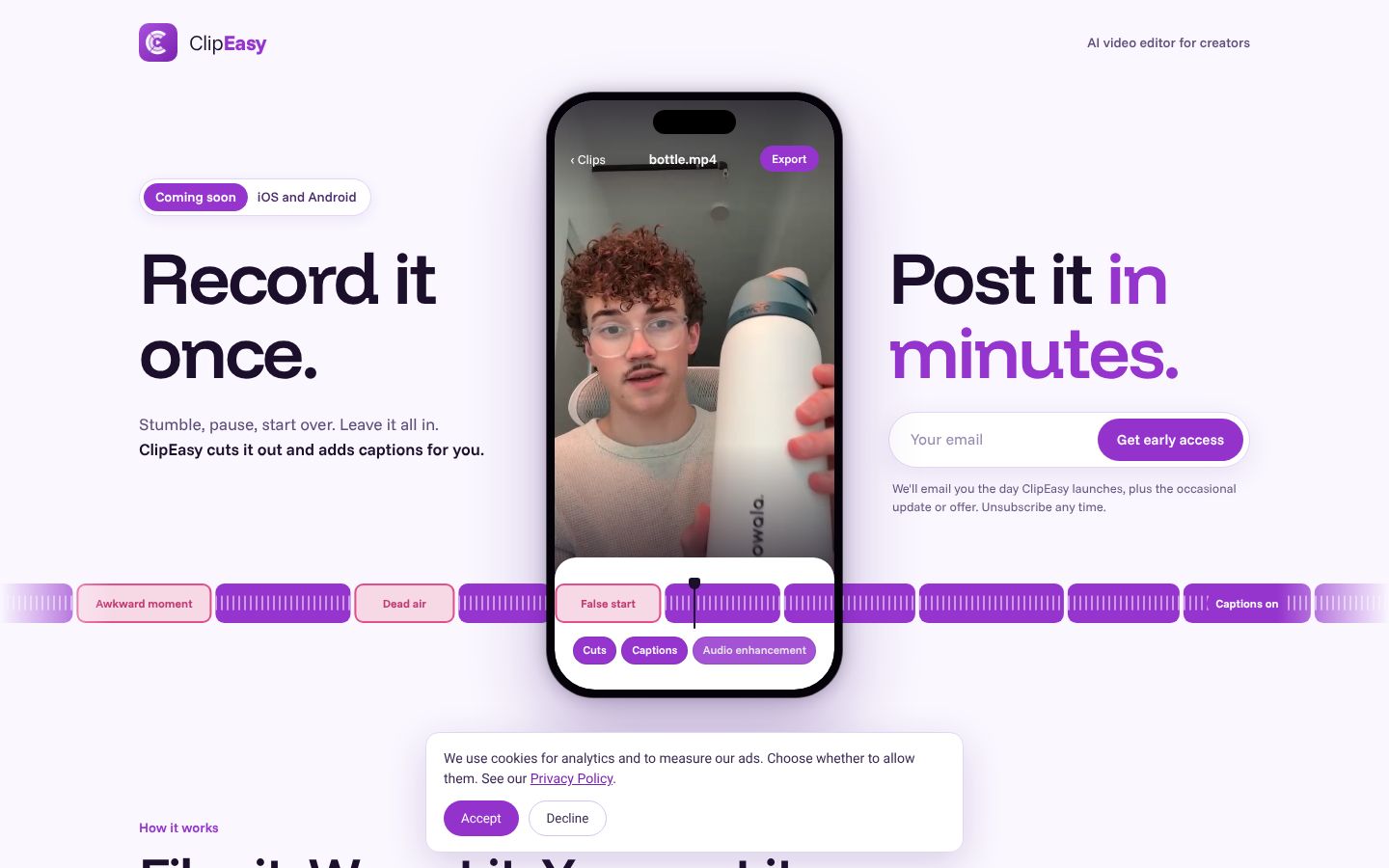
ClipEasy is an AI video editor for short-form and UGC creators who film talking-to-camera videos and ads for brands. You film a take on your phone or upload one you already have. ClipEasy then finds the mistakes and fixes them: it cuts dead air, pauses and filler, removes retakes and false starts, adds captions, cleans up the audio and tightens your opening, so the video is ready to post. If you want to change something, you edit it yourself in a few taps. It edits up to 10 different videos at once, one per product, while you do something else. It also has a teleprompter that follows your voice. It works on your real face and your real footage and does not generate actors. ClipEasy is coming soon to iOS and Android, with a waitlist on the homepage.
Best for: UGC creators who film talking-to-camera videos and ads for brands, often one per product, and want each raw take cut, captioned and ready to post without editing it by hand.
- Cuts dead air, pauses and filler and removes retakes and false starts from a raw take on its own, so you can keep talking and let ClipEasy do the cutting
- Adds captions, cleans up the audio, fixes overlapping audio and tightens your opening
- Edits up to 10 different videos at once, for example one for each product, while you do something else
- A teleprompter that follows your voice, keeps up if you skip, stops the take after your last line and lets ClipEasy keep the take where you got each line right
- You can still change anything yourself in a few taps after ClipEasy edits the video
 CapCut
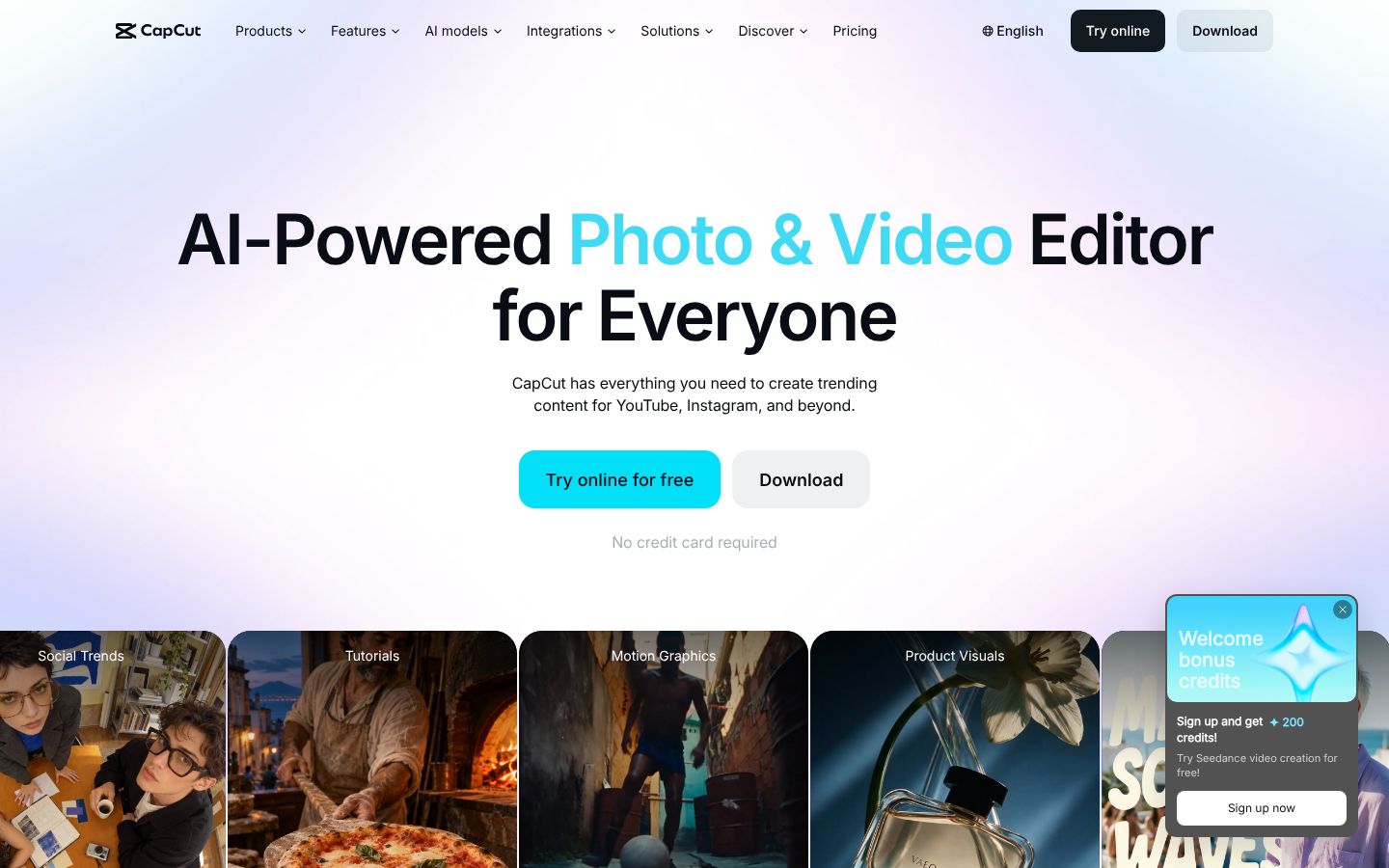
CapCut is a video and photo editor from ByteDance, the company behind TikTok. It runs as an iPhone, iPad and Mac app, an Android phone and tablet app, a desktop program and an online editor. Editing happens on a multi-track timeline with trimming, splitting, speed curves, keyframes, chroma key and stabilization. Templates, filters, effects, fonts, music and sound effects are built in. Its AI tools include auto captions with translation, text-to-speech, background removal, an EditPilot assistant that helps arrange clips and set the pace, and video and image generation models such as Seedance and Sora 2. CapCut markets it for trending content on TikTok, YouTube and Instagram.
Best for: Creators and marketers who want to cut social videos themselves on a timeline, with templates, effects, music, auto captions and AI generation tools in one app.
- Auto captions that generate subtitles from speech, which you can then translate and style
- Multi-track timeline with keyframe animation, chroma key, stabilization and speed from 0.1x to 100x
- Exports custom resolutions up to 4K 60fps with smart HDR
- Apps for iPhone, iPad, Mac, Android phones and tablets, plus a desktop program and an online editor
- Text-to-speech in 40+ languages and one-click background removal
- Large template library plus millions of music clips and sound effects
What ClipEasy edits for you, one raw take at a time
Product videos in a batch
Add up to 10 raw takes, one for each product, and ClipEasy edits every one of them while you do something else.
Talking-to-camera ads
Give ClipEasy a raw take with pauses and stumbles left in, and get back a cut, captioned ad with clean audio and a tighter opening.
Testimonial-style videos
Talk naturally and start over when you need to. ClipEasy removes the retakes, false starts and filler and adds captions.
Scripted videos with the teleprompter
Bring your script and read it into the lens. The teleprompter follows your voice, and ClipEasy keeps the take where you got each line right.
Unboxing and first impressions
Film your first reaction in one raw take. ClipEasy cuts the dead air and awkward moments and adds captions so it is ready to post.
Reviews filmed in one take
Record your review in one go, pauses and all. ClipEasy trims the silences and filler, cleans up the audio and tightens the opening.
What each app does with a raw talking-to-camera take
| Feature | ClipEasy | CapCut |
|---|---|---|
| Edit steps you still do yourself | None: all 6 done for you | You finish audio cleanup |
| Cuts dead air and pauses | Yes | — |
| Removes filler words | Yes | — |
| Removes retakes and false starts | Yes | — |
| Fixes overlapping audio | Yes | — |
| Tightens the opening | Yes | — |
| Edits several different videos at once | Up to 10 | — |
| Teleprompter that follows your voice | Yes | — |
| No scroll speed to set | Yes, the script follows your voice and waits when you pause | — |
| Teleprompter keeps up if you skip a line | Yes, it finds your line, or tap the next card | — |
| Take stops on its own | Yes, three seconds after your last line | — |
| Cut checked against your script | Yes, keeps the take where you got each line right | — |
| Batch edits run while you do something else | Yes | — |
| Auto captions | Yes | Yes, Pro only per CapCut's guide |
| Audio cleanup | Yes | Noise reduction, Pro only |
| Edit it yourself after the AI edit | Yes, in a few taps | Yes, on a multi-track timeline |
| Film in the app or upload a take | Yes, both | Upload, and an in-app camera per reviewers |
| iPhone app | Coming soon | Yes |
| Android app | Coming soon | Yes |
| Works without editing experience | Yes, ClipEasy does the cutting | Beginner-friendly, but you trim and split clips on a timeline |
| Save to phone and post anywhere | Yes, TikTok, Reels, Shorts or anywhere else | Yes, exports up to 4K 60fps to share on social platforms |
- Auto captions: Auto captions generate subtitles from speech; CapCut's Standard vs Pro guide lists the auto caption generator as exclusive to Pro.
- Audio cleanup: Noise reduction is listed among Pro's advanced AI tools.
- Edit it yourself after the AI edit: Timeline editing with trim, split, keyframes; EditPilot works on the same timeline.
- Film in the app or upload a take: Clips are imported from the phone's album; a reviewer refers to the app's Camera mode.
- iPhone app: App Store listing for iPhone, iPad and Mac.
- Android app: Google Play listing for phone, tablet and desktop.
- Works without editing experience: Says beginners can start in seconds; editing is trimming, splitting and arranging clips on a timeline, with EditPilot help.
What each CapCut plan includes a month, next to ClipEasy's range
| App | Plan | Price | Billing | Includes |
|---|---|---|---|---|
| ClipEasy | 3 plans | $15–$60/mo | Coming soon | Plan names and exact prices are not decided yet. ClipEasy is coming soon to iOS and Android. |
| CapCut | Free | USD 0 | Free | Free templates to start fast and basic editing tools |
| CapCut | Pro (monthly) | $19.99/mo | Monthly | AI features use credits (1200 a month); 7-day free trial for new users, may vary by region. 1200 monthly AI credits, access to AI features, all premium templates, all premium Pro features |
| CapCut | Pro (yearly) | $179.99/yr | Yearly | About $15.00 a month; AI features use credits (1200 a month). Same as Pro monthly: 1200 monthly AI credits, AI features, premium templates, Pro features, 1 TB of storage |
| CapCut | Ultra (monthly) | $79/mo | Monthly | AI features use credits (8645 a month). 8645 monthly AI credits, everything in Pro plus exclusive AI features, all premium templates, 1 TB of storage |
| CapCut | Ultra (yearly) | $900/yr | Yearly | About $75.00 a month; AI features use credits (8645 a month). Same as Ultra monthly: 8645 monthly AI credits, everything in Pro plus exclusive AI features, 1 TB of storage |
| CapCut | Teams (monthly) | $12.49/mo per seat | Monthly, per seat (2 seats) | Price is per seat; 1200 AI credits per seat a month; brand kit. 1200 monthly AI credits per seat, Pro features for all seats, brand kit, all premium templates, 1 TB of storage |
| CapCut | Teams (yearly) | $107.5/yr per seat | Yearly, per seat (2 seats) | About $8.96 a month; Price is per seat; 1200 AI credits per seat a month; brand kit. 1200 monthly AI credits per seat, Pro features for all seats, brand kit, all premium templates, 1 TB of storage |
Prices as of 2026-11-07, from each app's own pricing page.
ClipEasy: pros and cons
- Stumble, pause or start over and leave it in: ClipEasy finds the mistakes and cuts them out
- Captions, audio cleanup, overlapping audio fixes and a tighter opening come with the edit
- One upload for up to 10 product videos, edited while you do something else
- Teleprompter with no scroll speed to set: it waits when you pause and finds your line if you skip ahead
- Keeps the take where you got each line right, checked against your script
- No editing experience needed, and you can change anything yourself in a few taps
- Not out yet: coming soon to iOS and Android, so there is a waitlist instead of an app today
- Edits your own footage; it does not generate AI video, AI actors or offer templates and effects
CapCut: pros and cons
- Out today on iPhone, iPad, Mac, Android, desktop and the web
- Multi-track timeline with keyframes, chroma key, stabilization and speed curves
- Large template library, effects and millions of music clips and sound effects
- AI video and image generation with models such as Seedance and Sora 2
- CapCut's own guide lists the auto caption generator and noise reduction as Pro-only
- Editing a take means trimming, splitting and arranging clips on a timeline yourself
- Reviewers report "No speech recognized" caption errors on videos with clear speech
- Reviewers report failed imports of videos over two minutes on Android
- Reviewers report edits breaking when source clips are deleted, and projects lost after reinstalling
- Reviewers report charges after cancelling and slow or unhelpful support
What CapCut users report
“Every single time I tried Split Scenes OR Generate Captions, I got the same error: "No speech recognized." There IS speech in the video. I am literally talking the whole time. I tried multiple times, same error.”
Charged for CapCut Standard, but it never activated
“On 27 October 2026, I paid CHF 14 for CapCut Standard through Google Play, but the subscription never showed as active in my account and I could not use its features. I had an urgent project, so I bought a separate CHF 25 Pro subscription that same day, expecting the Standard issue to be resolved.”
A Dreadful Company
“When attempting to get the money back, they just kept replying with the same response, so assume it was an AI auto-responder. At one point, they wanted me to email them my full debit card number, which I of course refused to do.”
Pro features
“I wanted to create a simple project and extracted some audios, nowhere was it stated that these were "Pro" features so I wasted the next 30 minutes of my life working on it. When I finally finished and wanted to export it and save it, I had to pay since I used "Pro" features.”
Which app fits your job
| If you are | Pick | Why |
|---|---|---|
| Creators doing TikTok videos and Reels editing of talking-to-camera takes | ClipEasy | ClipEasy cuts the pauses, filler and retakes, adds captions, cleans the audio and tightens the opening for you, instead of you trimming by hand on a timeline. It is coming soon. |
| UGC creators filming one video per product for brands | ClipEasy | It edits up to 10 product videos at once while you do something else, and its teleprompter follows your voice while you film. |
| Editors who want templates, effects, music or AI-generated video | CapCut | CapCut has a template library, effects, music and AI generation models. ClipEasy edits your real footage and does not offer these. |
| Anyone who needs an editing app today | CapCut | CapCut is available now. ClipEasy is coming soon to iOS and Android, with a waitlist for early access. |
Questions people ask
What problems do reviewers report with CapCut?
Reviewers report auto captions failing with a "No speech recognized" error, failed imports of videos over two minutes on Android, and charges after cancelling. Others report basic features moving behind the Pro paywall. ClipEasy, coming soon, adds captions and cleans up the audio as part of its edit.
How reliable is CapCut?
Reviewers report problems: edits breaking when source clips are deleted from the phone, projects lost after reinstalling, and caption bugs such as spaces dropped between words. CapCut does run today on iPhone, iPad, Mac, Android, desktop and the web.
How much does CapCut cost per month?
CapCut has a free plan with basic editing tools. Pro is $19.99 a month, or $179.99 a year (about $15.00 a month); Ultra is $79 a month, or $900 a year (about $75.00 a month). Teams is $12.49 a month per seat, or $107.50 a year per seat (about $8.96 a month).
What does CapCut Pro give you?
Pro gives you 1200 AI credits a month, premium templates and features, and 1 TB of storage. CapCut's own guide lists auto captions and noise reduction as Pro-only, so both need a paid plan.
Is CapCut or ClipEasy better for TikTok videos and Reels editing?
For talking-to-camera takes, ClipEasy: it cuts pauses, filler, retakes and false starts, adds captions, cleans up the audio and tightens the opening, and you change anything in a few taps. For templates, effects, music or AI-generated video, CapCut is the right tool.
How much will ClipEasy's plans cost?
ClipEasy will have 3 plans, between $15 and $60 a month, coming soon. Plan names and exact prices are not decided yet; the pricing table shows CapCut's plans next to that range.
When will ClipEasy be available?
ClipEasy is coming soon to iOS and Android. The waitlist on clipeasy.app gets early access.
Why choose ClipEasy over CapCut for talking-to-camera videos?
Because ClipEasy does the cutting you would otherwise do by hand on CapCut's timeline. It edits up to 10 product videos at once, and its teleprompter follows your voice and keeps the take where you got each line right.
Compare ClipEasy with other tools
CapCut alternatives
CapCut: features, pricing and reviews
ClipEasy vs Opus Clip
ClipEasy vs Descript
ClipEasy vs Captions
ClipEasy vs Submagic
ClipEasy vs BIGVU
ClipEasy vs InShot
ClipEasy vs Videoleap
ClipEasy vs Splice
ClipEasy vs VN
ClipEasy vs Edits
ClipEasy vs Mimic
ClipEasy vs Mashcut
ClipEasy vs CutUGC
ClipEasy vs CutAI
ClipEasy vs PromptSmart
ClipEasy vs BlitzCut
ClipEasy vs Teleprompter.com
Record it once. Post it in minutes.
Leave the stumbles in. ClipEasy cuts them out and adds captions, and you change anything in a few taps. Coming soon to iOS and Android.