
 ClipEasy team · 2026-11-07 · 14 min read
The UGC portfolio examples worth copying share one plain shape. Your name, a one-sentence pitch and an email a brand can tap sit at the top, with a few short vertical videos below, each labelled by format and niche. With no brand deals yet, film spec ads for products you own. ClipEasy, coming soon, is built to cut their pauses and retakes for you.
We looked up eight much-cited portfolios in November 2026. Three were dead or abandoned, and three we couldn't open. Only two were live and worth copying. So we added five more live pages we counted, for seven working examples in all.
If you have no paid work yet, copy a starter page. A 30-video layout copied too early leaves you with empty sections. Build yours in five moves:
Film three spec ads for products you already own.
Edit them in Instagram Edits or CapCut today.
Put them on a free Canva website.
Open the link on your phone and tap every video and the email button.
Send it to brands directly.
Note: How we researched this: in November 2026 we opened the portfolios that keep turning up in roundups and counted what each one shows. We also read the creator help pages of 12 UGC marketplaces, coded 9 Reddit threads where a beginner shared a portfolio for feedback, and read 5 creators' accounts of being rejected by Billo or JoinBrands. Tool prices and free limits were checked on the vendors' own pages.
8 UGC portfolio examples and what to copy from each
When we checked in November 2026, only Célia's and Kellyn's portfolios of the eight below were live and worth copying. Three are dead or abandoned, and three weren't among the pages we could check. The table adds the live portfolios we did count, sorted by size. Starting from nothing, copy Célia's four-video page or Joshie's nine-video page.
Creator | Size | Videos | Host | First screen | Rates shown | Move to copy |
|---|---|---|---|---|---|---|
Célia de Bruyker | Starter | 4 | Free Copyfolio address | Email, featured projects, filming gear | No | One line listing your gear |
Joshie Houlahan | Starter | 9 | Custom domain | Email, format-labelled samples | No | A format label under every video |
Judy Thomas | Library | 18 | Free Canva address | One line on who she is, plus email | No | One-line positioning |
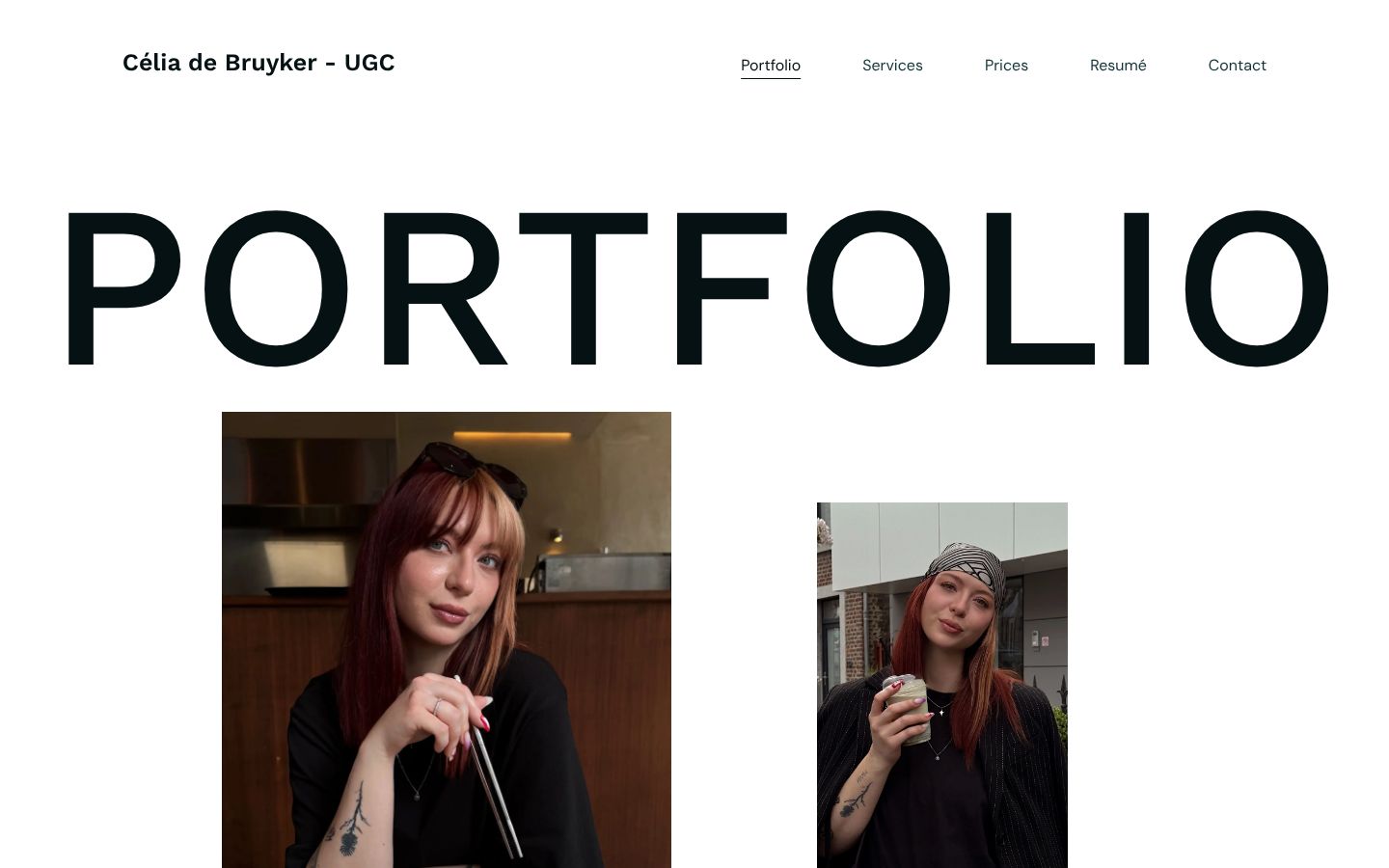
Katie McCormick | Library | 19 | Free Canva address | Email, 100+ brand deals, Dutch and English | No | State your turnaround and revisions |
Naomi D'Alessio | Library | 15 | Not recorded | No | Study at 15+ videos | |
Tyler Reyes | Library | 34 | Not recorded | No | Study at 15+ videos | |
Kellyn McMullan | Library | Reel plus 10 category pages | Not recorded | No | One page per category, later |
Seven live UGC portfolios, checked November 2026. All seven had an email on the first screen, vertical video and no public dollar rates. The library-sized pages are worth studying once you have 15 or more videos.
Joshie Houlahan labels all nine samples by format: Testimonial, Voiceover, Unboxing. Judy Thomas opens with one line on who she is and tags each of her 18 videos 'Paid ad' or 'Organic ad'. The format label is the habit we'd copy first.
Katie McCormick groups 19 videos by language and niche. She also spells out how she works: a 4 to 5 day turnaround, a watermarked draft and one free revision. Copy that even on a three-video page. It answers a brand's next question before they ask.
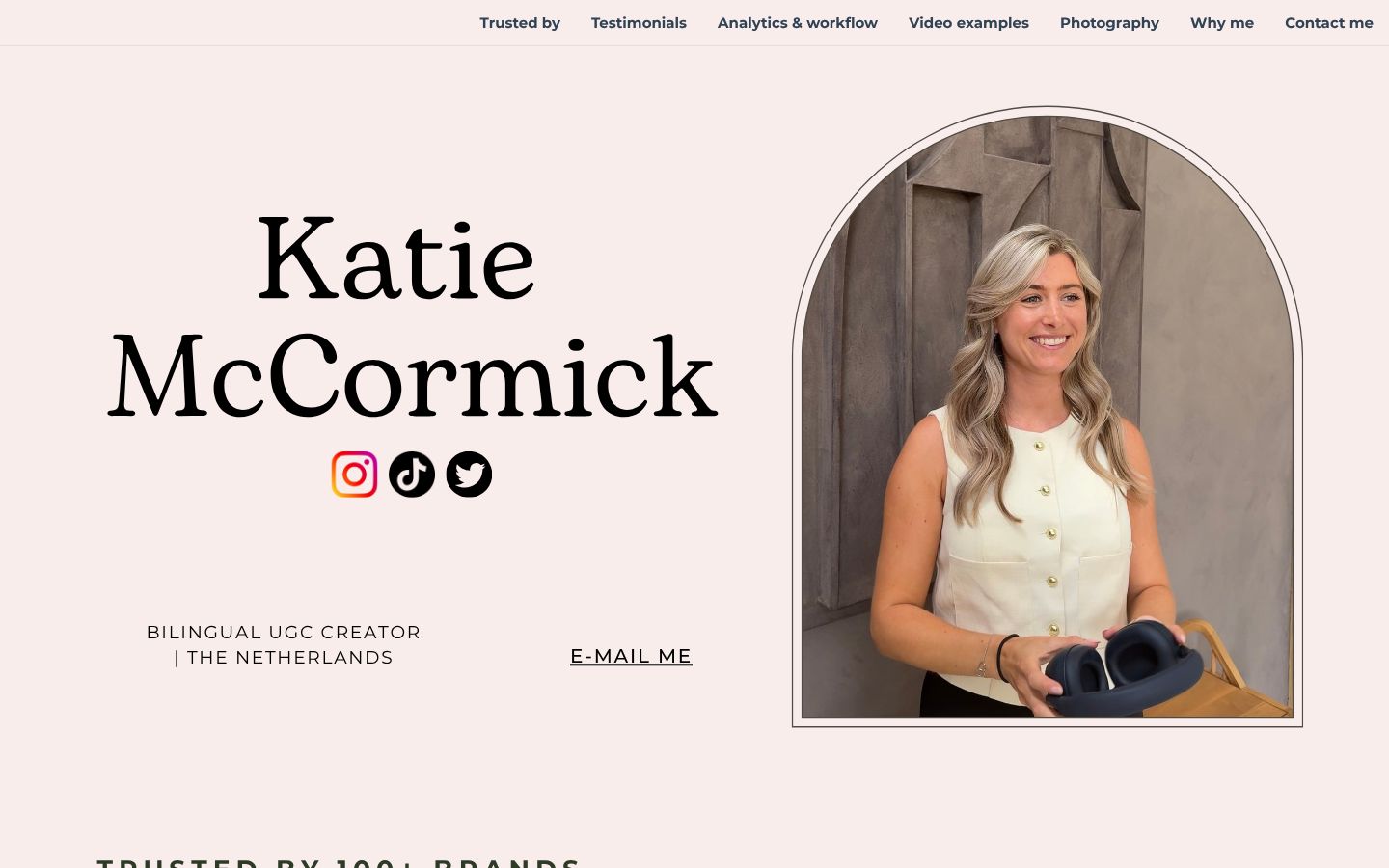
1. Célia
This is the one to copy if you're starting out. Célia de Bruyker's page shows four projects and offers English and French delivery. It lists her filming gear and asks brands to get in touch for a quote. It costs nothing, because it sits on a free Copyfolio address.
The pro: it proves four videos make a complete page. The con: it shows organic view counts you won't have yet, so leave that part out. Copy the gear line instead. One sentence on what you film with tells a brand you can deliver, even if it's a phone and a window.
2. Ness Ulanbek
Skip this one. Roundups still link Ness Ulanbek's Copyfolio page, and it returned a 404 when we checked. Before you model your page on any example, open it and tap a video, because these lists rarely get re-checked.
3. Talasyn Grace
There was no live site when we checked, so there's nothing to count or copy.
4. Kellyn McMullan
This one suits a creator who already films across several niches. Kellyn runs one reel plus 10 category pages, so a brand can go straight to its own category. The con is upkeep: ten pages is a lot to keep current, and a lot of taps for a reviewer.
It's the nearest thing to a niche portfolio we can point you to. We didn't verify a live travel, beauty or tech portfolio worth copying. On the pages we counted, niche shows up as a label on each video (Katie) or as a category page (Kellyn).
5. Wilhelmina Rose
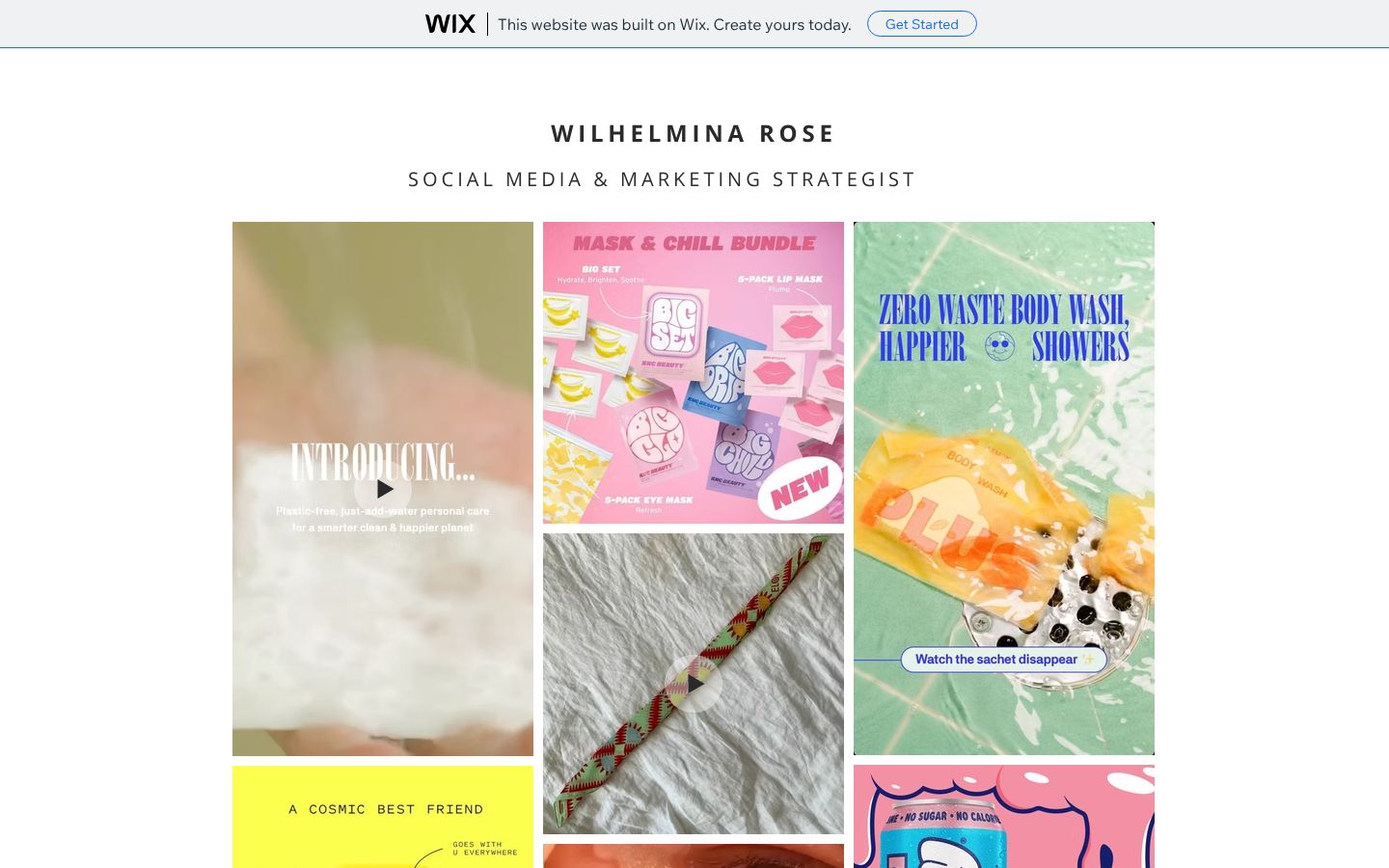
Roundups still recommend this page, and it isn't worth copying. Her Wix page hasn't changed since 2021, still carries the free Wix ad banner and plays no video at all. A portfolio that can't play a video is a brochure, and a brand hiring for video will close it.
6. Moments of Yugen
This page isn't among the seven we could open and count, and we won't describe a portfolio from someone else's summary.
7. Charlene Izere
Same situation: it isn't among the seven we checked, so we won't guess what's on it.
8. Life with Michelle
This one isn't among the seven either, so copy from the pages in the table.
In short:
With no paid work, copy a starter page like Célia's (4 videos) or Joshie's (9).
Take one move from the bigger pages: a gear line, format labels or a stated turnaround.
What should a UGC portfolio include?
Here is what to include in a UGC portfolio. The first screen carries your name, a one-sentence pitch and an email link. Below that go three to five vertical videos, best one first. Leave follower counts off, because the page is there to prove you can make the brand's ad.
Your name and one line on what you make at the top, with an email that opens the phone's mail app when tapped.
Three to five vertical videos of 15 to 30 seconds each, captioned, strongest first.
Two labels on every video, the format and the niche, such as 'Problem-solution ad, skincare', so a brand looking for an unboxing finds one without guessing.
One line under each spec clip giving the hook and the goal of the ad.
No follower counts and no long bio.
Labels do more work than they look like they do. When Brands Meet Creators reviewed nine portfolios live, unlabelled grids kept getting flagged. That's nine pages, not a rule for every portfolio, but it matches what we'd expect a busy brand to do. The rest of the list follows Jenna's (@rostercreators) one-page checklist.
Jenna says she launched with three spec videos and booked 15 brands for $6,000 in her first three months. That is her result, not a benchmark, so copy the size of her page rather than the number.
Captioning every clip by hand is the slow part. Instagram Edits adds captions free today. Read them back before you export, because auto captions often mishear product and brand names, and a misspelt brand name on a sample is the first thing that brand will notice.
Rates, proof and an intro video
Leave rates off: all seven live portfolios ask brands to email instead. With no paid work behind you, a number mostly gives a brand a reason to rule you out. If you want to signal a budget, use one 'starting at' line, as Jenna does, not a full rate card.
Proof works the other way round. We coded 9 Reddit review threads, a small sample. Four told the creator to add results, case studies or a list of brands. None told anyone to remove proof.
To showcase performance stats in a UGC portfolio, put one short line with the real result under its video. Wait until the brand is happy for you to share it. Until then, the hook-and-goal line under each clip is your proof.
In short:
Put a clickable email on the first screen and three to five labelled videos below it.
Leave off rates and follower counts.
Add real results as one line under the matching video once you have them.
How to make a UGC portfolio with no experience
With no brand deals, you make spec ads: sample videos for products you already own, filmed as if a brand had hired you. Three across two or three niches is enough to send, and five lets you drop your weakest. The best beginner UGC portfolio examples to copy are Célia de Bruyker's four-video page and Joshie Houlahan's nine-video page, so plan each spec ad the way you'd plan a paid one:
Pick three things you use, in concrete niches: a dog toy, a kitchen gadget, a desk lamp. 'Lifestyle' isn't a niche a brand searches for.
Give each one a different format: problem-solution, in-use demo, testimonial.
Script about 30 seconds, with the problem or the product in the first three seconds, then two benefits and a call to action.
Film the talking part in short chunks, then four to six close-ups of your hands using the product in window light.
Hand the raw takes to the edit without trimming anything on the phone first.
Most flubs come from reading a 30-second script off a note. Instagram's free Edits app has a teleprompter you can use today. ClipEasy, coming soon, has one that follows your voice, waits when you pause, and then uses the script to keep the take where you got each line right.
Without showing your face
Hands-only demos, unboxings and app screen recordings with a voiceover can fill a portfolio. Meg (@megthecreator) built hers that way. Her own estimate is that staying off camera rules out about 80% of briefs, with beauty and personal care the hardest to get.
How long the first one takes
Expect the first spec ad to take hours. The first 30-second ad one creator filmed took three hours of reshooting and re-editing, and later ones came in under an hour. That is one person's count, so treat it as a rough guide for your first evening, not a target.
In short:
Film three owned products in three formats, with the hook in the first three seconds.
Hands-only and screen-recording ads count, though one creator estimates that staying faceless rules out about 80% of briefs.
Turn rough takes into portfolio-ready UGC videos with ClipEasy
To edit UGC portfolio videos with ClipEasy, you film your takes, stumbles and all. ClipEasy cuts the pauses, filler, false starts and retakes, adds captions, cleans the audio and tightens the opening, for up to 10 videos at once. It's coming soon to iOS and Android, so this week's batch goes through a free app. We'd use Instagram Edits, because it adds captions automatically and CapCut Free doesn't.
By hand, editing is a slow loop, and Meg (@megthecreator) walks through it in CapCut. You split at every pause and false start, then delete the retakes, trim the silence and fix the captions. Her own estimate for a beginner doing this on a 30 to 45 second take is 60 to 150 minutes, and you have five takes.
You'll drop in up to 10 product takes at once and get each one back edited, where the free apps edit one at a time.
It will cut pauses, filler, false starts and retakes for you, so you won't split anything at the waveform.
Captions, audio cleanup and a tighter opening will come in the same pass.
If you film with its teleprompter, it will use your script to keep the take where you got each line right.
Anything you'd change, you'll change yourself in a few taps.
It will come in three plans between $15 and $60 a month. It edits the videos only, so it doesn't build or host the portfolio page, and for montage-heavy B-roll or multi-track desktop work CapCut fits better. Edit this batch in Edits, and get early access to ClipEasy for the next one.
App | Price | Cuts pauses and retakes for you | Auto-captions | Videos at once | Available |
|---|---|---|---|---|---|
ClipEasy | Three plans, $15 to $60 a month | Yes | Yes | Up to 10 | Coming soon, iOS and Android |
CapCut Free | Free | No, manual splits | No, Pro only | One | Yes; delete the default outro before export |
CapCut Pro | $19.99 a month, or $9.99 Standard on mobile | Silence removal included | Yes | One | Yes |
Instagram Edits | Free | No, manual cuts | Yes | One | Yes |
Editing five spec takes: what each app does for you and what it costs, checked November 2026.
On CapCut Free, delete the default outro and avoid Pro-badged assets, or the export carries a watermark. In one of the 5 rejection accounts we read, a Billo pitch was turned down because of that outro. As of November 2026, CapCut's help page put auto-captions and silence removal behind Pro.
Export two copies of every video
Save a captioned copy for your portfolio and a clean copy with no captions, music or editor outro. The marketplace help pages we read disagreed about captions, so check each marketplace's current upload page before you send a clip.
In short:
ClipEasy will cut pauses and retakes, add captions, clean audio and tighten the opening for up to 10 takes at once.
Until it launches, edit in Instagram Edits, which captions for free.
Export a captioned copy and a clean copy of every video.
Which UGC portfolio format to use: website, PDF or Canva
Use a free Canva website. When a brand taps a video, it plays on the page, with no download and no access request. Choose any UGC portfolio website by whether video plays in one tap, not by how the template looks.
Container | Plays video in one tap | Free limit | Catch |
|---|---|---|---|
Canva website | Yes | 5 live sites on a my.canva.site address, 5 GB storage | 'Designed with Canva' footer; custom domain needs Pro |
No | n/a | Video flattens to still images; links send the brand to another app | |
Notion | Depends on file size | Upload size capped on the free plan | Full-length clips may not fit |
Wix | Possible | Limited storage on the free plan | Ad banner on free sites |
Google Drive folder | Only if sharing is set correctly | Your Drive storage | Wrong permissions show the brand an access request |
Free places to host a UGC portfolio, and whether the videos play in one tap (November 2026).
A PDF fails the one-tap test. Clips flatten to still thumbnails, and a tap sends the brand out of your pitch into another app (Canva's help page on links). Drive and Notion can work, but one wrong sharing setting or one oversized file breaks them.
Start on the free address, because a brand checks whether the video plays before it looks at the URL. Katie McCormick's page states 100+ brand deals and sits on a free my.canva.site address, and Célia's runs on a free Copyfolio one. Before you pay for anything, see what the free plan leaves out on Canva's pricing page, and add a custom domain later if you want one.
Set up Canva without the two common mistakes
The free template comes from Canva itself. The setup below follows a full-time creator's walkthrough, with the two traps flagged where they happen:
Search 'UGC portfolio website' in Canva and check that the editor shows 'Publish website', not 'Present'. A Presentation makes brands click sideways through slides.
Upload your videos and set them to click-to-play. With autoplay on several clips, all their audio plays at once.
Preview the mobile view and check that 'Resize on mobile' hasn't stacked your text and videos awkwardly.
Publish to the free my.canva.site domain.
In short:
Use a free Canva website so every video plays in one tap.
Skip PDFs, which turn videos into still images.
Build with 'Publish website', click-to-play videos and a mobile preview.
What brands look for in a UGC portfolio (and mistakes to avoid)
What brands look for in a UGC portfolio is mostly the first video, and they judge it fast. It should open on the product or the problem, carry a label they can match to their brief, and play in one tap. The mistakes that sink beginner pages are mechanical. Think videos that never uploaded, links that don't click and layouts that break on a phone.
When a brand compares several creators, the top video on each page decides first, so put the clip whose first word lands straight away in that slot. If every clip opens on a breath or 'hey guys', trim each one to its first real word, and the brand loses nothing it wanted to see. In Edits or CapCut that is a manual drag on the start of each clip. Tightening the opening is one of the steps ClipEasy is built to do on every take it edits.
Nobody else will catch the broken parts
We expected reviewers to flag broken links first, and they didn't. In the 9 beginner portfolios we coded, all from one subreddit and mostly reviewed by other creators, the top reply was about layout in 6 of them.
Yet 5 of the 9 threads turned up an access or playback fault. In one thread, the top reply was simply 'None of your videos are uploaded. They won't play!'
So test the page the way a brand meets it: on a phone, logged out, from the exact link you send. This is the check Lucille Marson runs before publishing, and it is worth repeating before every pitch:
Open the live link in a private tab on your phone.
Tap the first three videos and confirm each one plays in a single tap.
Tap the email button and check that your mail app opens, addressed to you.
Make sure your email address also appears as plain text someone can copy.
Scroll the whole page and look for stacked or cut-off sections.
In short:
Put the clip with the fastest opening at the top.
Run the phone check yourself, then send the link to brands by email or DM.