
 ClipEasy team · 2026-11-09 · 13 min read
The best UGC platforms for creators are the ones that accept and pay people in your country. Where you live rules out more beginners than follower counts do. We make ClipEasy, a phone editor coming soon for cutting your takes once briefs arrive. Where we'd start:
JoinBrands and Billo, if you have no followers and live in the US, UK or Canada.
JoinBrands on its own, if you live in Australia or Germany.
Insense, Cohley or Vidsy for bigger brand budgets, once you have a few samples.
Collabstr, only if you can send your own buyers to it.
Fiverr or Upwork, if you live anywhere the brief apps don't accept.
The best UGC platforms for creators at a glance
Read the country column first and the fee column second. Every row is a place where brands pay UGC creators for videos. None of them edit your takes, which is what ClipEasy (coming soon to iOS and Android) is for.
Platform | Country | What gets you in | Fee | Best for |
|---|---|---|---|---|
JoinBrands | US, UK, Canada, Australia, Germany | Certification video | 20% (15% on Pro) | First briefs, no followers |
Billo | US, UK, Canada | 30-second pitch | 0%, from $30 a video | Fixed-rate product videos |
Insense | Own list (no India) | No follower minimum for UGC | 0% | Brand budgets once you have samples |
Collabstr | Not stated | Card to verify identity | 15% per sale | Bringing your own buyers |
Trend.io | US, per parent soona | No followers needed | Not checked | US creators |
Stack Influence | Not checked | Not checked | Not checked | Check its pages yourself |
Vidsy | Not stated | Portfolio per brief | 0%, paid within 90 days | Experienced creators, big brands |
Cohley | Not stated | Hand-selected | 0%, paid after 30+ days | Bigger budgets if you can wait |
Fiverr | No country list | Your own gig | 20% | Creators the apps won't take |
Upwork | No country list | Proposals paid in Connects | 10% standard | Pitching clients worldwide |
From each platform's own pages, November 2026. 'Not stated' means the page didn't say, not that it's open to you.
Note: How we researched this: in November 2026 we read the help, signup and terms pages of 14 creator-side platforms against the same 12 questions. We also sorted 17 Reddit posts about a first paid deal and 4 firsthand reports from creators outside the US, UK and Canada.
Five of the 14 platforms said outright they have no follower minimum. The follower rules we found were narrow: minisocial asks for 1,000 to 5,000, and Insense drops its 1,000 rule for UGC-only creators. The real block was where you live. A creator in India is stopped at signup by Billo, Insense, JoinBrands and soona.
In short:
Read the country column before anything else.
Followers were rarely the stated barrier.
JoinBrands and Billo are the easiest way in for US, UK and Canada creators.
The 8 best UGC platforms for creators, ranked
Start with JoinBrands if you're new and your country is accepted, Billo for quick fixed-rate videos, and Insense once you have samples. Before building a profile on any of these UGC platforms for creators, check your country at three points.
Start signup and see whether the form or help centre accepts the country you live in.
Once you're in, look through the brief feed for briefs you're allowed to take. A creator in Sydney registered on JoinBrands and saw only 6 listings, all for one product type.
Find your country on the platform's own payout list, inside its payout settings. Stripe or PayPal working where you live doesn't settle this.
The third check surprised us. A creator in Thailand finished Trybe campaigns and then couldn't withdraw. Thailand wasn't on Trybe's payout list, even though Stripe supports it. In all four reports like this, nobody got paid.
1. JoinBrands
JoinBrands is the easiest route to first briefs without an audience. It accepts creators in the US, UK, Canada, Australia and Germany.
Pass an in-app certification video, then apply to briefs paying from $60 a video.
JoinBrands keeps 20%, so a $60 video pays you $48, via PayPal.
Products are shipped to you or reimbursed.
The catch is a paid tier that sees new briefs first.
2. Billo
Billo is best for short product videos at a fixed rate, if you live in the US, UK or Canada.
Billo sets the price, from $30 per approved 15-second video up to $70 at Premium Creator. Premium takes 14 approved jobs, a 4.8+ rating and 90%+ on-time delivery.
It takes 0%, pays weekly through Stripe and covers the transfer fees.
The catch is the low base rate. Creators also report brands asking for reshoots outside the brief, which can hurt your rating.
One creator saw '200 applications inside an hour' on a single brief. We'd treat Billo as paid practice while you build samples.
3. Insense
Insense is best for creators with a few samples who want brand-set budgets and live in a country on its list.
No 1,000-follower rule on the UGC-only track.
Brands set the fee, Insense takes 0%, and bank withdrawals under $50 cost $3.
Pay reaches PayPal in 3 working days after approval, or a bank in 5.
Its creator terms include up to 3 revision rounds and keep brands you meet there on Insense for 12 months.
India isn't on its country list.
4. Collabstr
Collabstr is best for creators who can send their own buyers to a storefront.
You set your own packages, and Collabstr takes 15% when you make a sale.
Payouts go through Dots, which supports PayPal, Venmo and CashApp.
Signup needs a credit card to verify your identity. The card isn't charged in normal use.
The pages we read don't state a country rule.
The catch is traffic. Collabstr sends no briefs, and a new storefront has no reviews. We'd skip it until you have buyers of your own to send there.
5. Trend.io
Trend may be US-only. Its creator FAQ says you don't need followers, but owner soona's creator guide says its creators can be anywhere in the US. We have no creator-side fee or payout figures for Trend.
6. Stack Influence
We didn't read Stack Influence's creator pages in our review, so we can't give its fees, country rule or how it pays. Run the three checks on its own pages before you apply.
7. Vidsy
Vidsy is best for experienced creators who want big-brand briefs.
Partners include Unilever, L'Oréal and Amazon.
Fees are set per brief, Vidsy takes 0%, and you submit a portfolio matched to each brief.
Its terms allow up to 90 days for payment and bar you from showing the work in your portfolio without written permission from Vidsy and the brand. For a beginner, that costs more than the wait.
Cohley sits in the same bracket. It hand-selects creators, takes 0% and, under its creator terms, pays by PayPal no earlier than 30 days after a campaign ends, minus PayPal's 2.9% fee.
8. Fiverr and Upwork
Yes, you can find UGC gigs on Fiverr or Upwork instead of a UGC marketplace. They're the route if the brief apps won't take you. Neither limits signup to a country list, and you set your own price.
Fiverr keeps 20% of each order and holds your earnings for 14 days. Buyers find you through search, so new sellers compete with established ones.
Upwork's standard fee is 10%, ranging from 0% to 15% by contract, with a 5-day hold. Each proposal costs Connects at $0.15 each, and the free Basic plan includes none.
Neither sends you briefs. We'd open Fiverr first, because its fee comes out of orders you've won, while Upwork's Connects cost you before you win anything.
In short:
Run the three country checks before you build any profile.
JoinBrands and Billo are the easiest to get into, and they pay the least.
Insense, Cohley and Vidsy take 0%, but you pay in revision rounds, slow payment or the portfolio piece.
Collabstr, Fiverr and Upwork let you set the price, and you find the buyers.
Which UGC platforms are best for beginners with no portfolio?
JoinBrands and Billo are the best UGC platforms for beginners with nothing to show yet. Each asks for one in-app video instead of followers or a portfolio. Joining was free everywhere we could see the cost, though Collabstr keeps a card on file to verify identity.
Competing can cost money, though. JoinBrands' Creator Pro costs $49.95 a month, and paying members see new briefs an hour early.
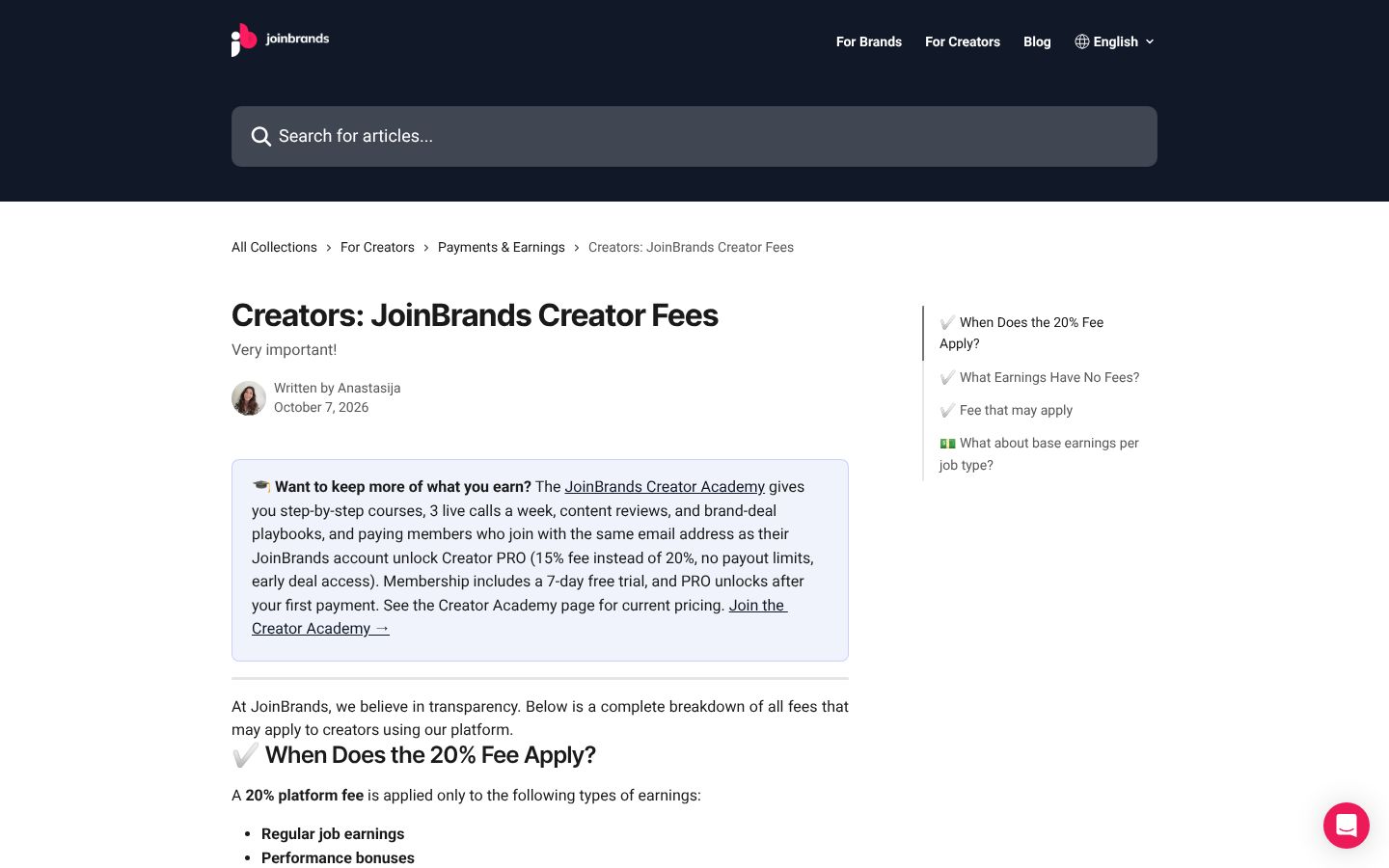
We wouldn't pay for that hour before your first deal. A head start only helps if your applications already win.
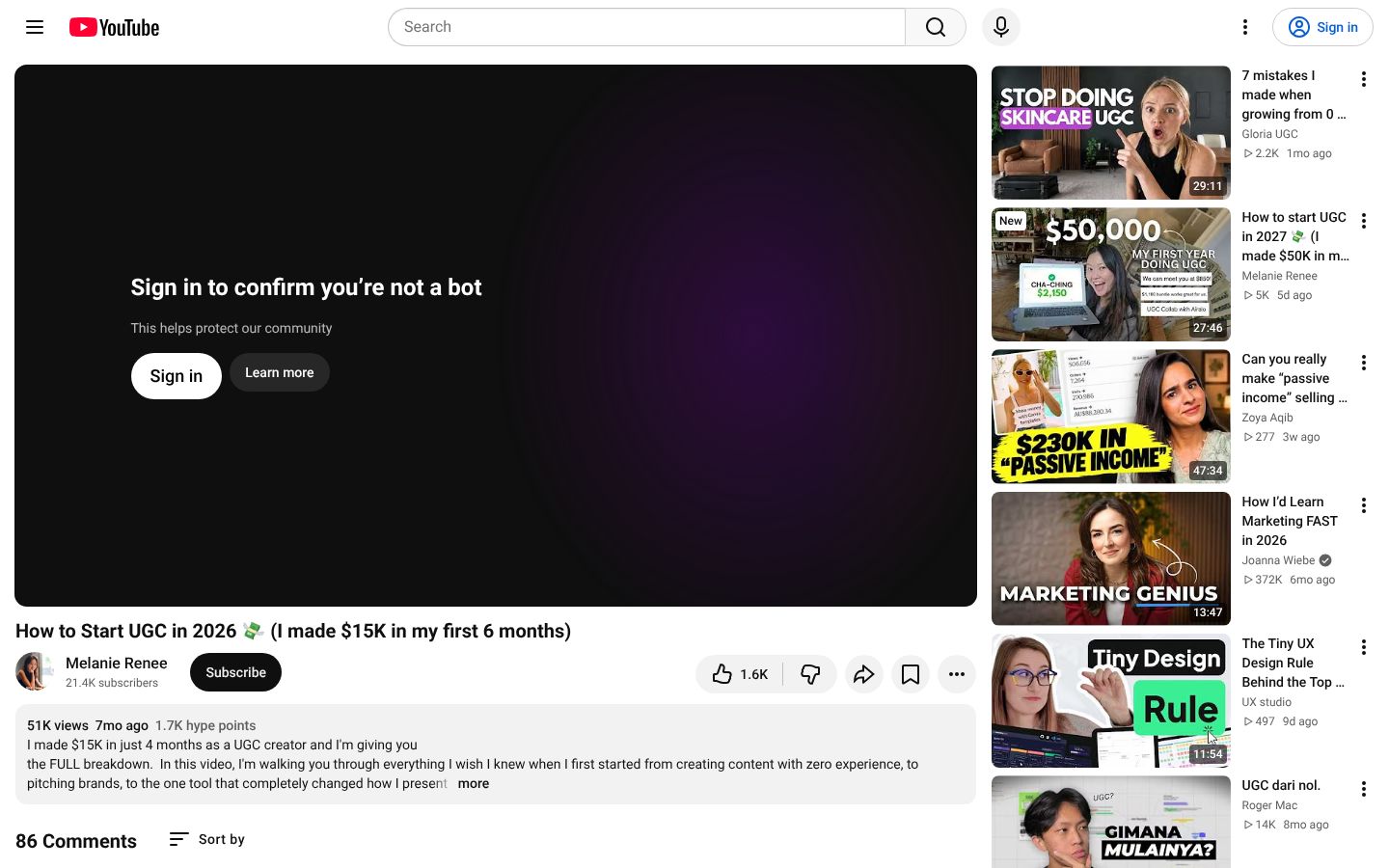
Don't buy products to film either. Melanie Renee built her first samples from 5 to 8 things she already owned, copying ad formats that already worked. It's one creator's route, but it costs nothing and gives a brand real videos to judge.
Pick two or three things you use every week.
Script 30 to 45 seconds: a hook, the product in use, one benefit, a call to action.
Film vertically by a window, with the product in use rather than on a table.
Every one-take sample still needs its stumbles cut and captions added. Today that means CapCut (captions need Pro) or Instagram's free Edits app on iPhone. Once ClipEasy launches, you add the take and get it back cut and captioned.
Read each sample's script from one of the teleprompter apps that follow your voice, so there's less to cut. Then put two to four finished samples on one page, like these UGC portfolio examples.
In short:
Your country decides where you can start.
Two to four home-made samples get you further than followers.
Skip the paid Pro tier until your first deal.
Do UGC platforms pay cash or free products, and how much per video?
Most platforms here pay cash: Billo, Insense, Cohley, Vidsy, Collabstr, Fiverr and Upwork. On JoinBrands, the product is shipped to you or reimbursed.
There's no fixed UGC creator salary, and a first deal usually pays far less than $150 a video. In the 17 Reddit first-deal posts we sorted, the median deal was $150 for 3 videos, or $50 a video. Of the 12 deals we could price per video, only 3 reached $100 or more. One creator with two samples got a paid test of $150 for three videos.
These are posts creators chose to write, mostly to celebrate, with product-only deals counted as $0. Read them as these creators' first deals, not a market average.
Brief type | What you receive | Your risk | When to take it |
|---|---|---|---|
Cash | Money, often held by the platform first | Lowest | When the per-video fee works for you |
Product-only | The product, $0 in cash | Hours of unpaid work | One or two videos for your portfolio |
Reimbursement | You buy it, then get refunded after delivery | Lost money if the brand disputes or vanishes | Only when your outlay is below the fee |
Only cash briefs pay your bills. Product-only is portfolio work, and reimbursement puts your own money at risk.
Reimbursement is where a beginner can lose money. One creator was asked to spend $40 on a product for a $20 video.
Four of the 17 first deals paid in product only. We'd cap those at one or two videos. Seven reels for a printer worth about $400 is a job paid in goods, not a portfolio sample.
How ClipEasy edits your UGC videos so you can take more briefs
You film your take on your phone, stumbles and all. When it launches, ClipEasy gives you back a video ready to post, with the pauses, filler and retakes cut, captions added and the audio cleaned. It can edit up to 10 different videos at once, one per product.
Doing that by hand is where the hours go. In one creator's CapCut walkthrough, filming a 30-to-60-second brief takes 10 to 15 minutes. Cutting it takes a beginner 60 to 150 minutes, by her estimate, mostly splitting out pauses and repeated lines.
Editor | Pauses and retakes | Captions | Several videos at once | Runs on | Price |
|---|---|---|---|---|---|
ClipEasy (coming soon) | Cut automatically | Added automatically | Up to 10 | iOS and Android | 3 plans, $15 to $60 a month |
CapCut | Silence removal on Pro; retakes cut by hand | Auto-captions on Pro | Not in what we checked | Phone, web, desktop | Free; Pro $9.99 a month on mobile |
Edits (Instagram) | Cut by hand on a timeline | Auto-captions, free | Not in what we checked | iPhone | Free |
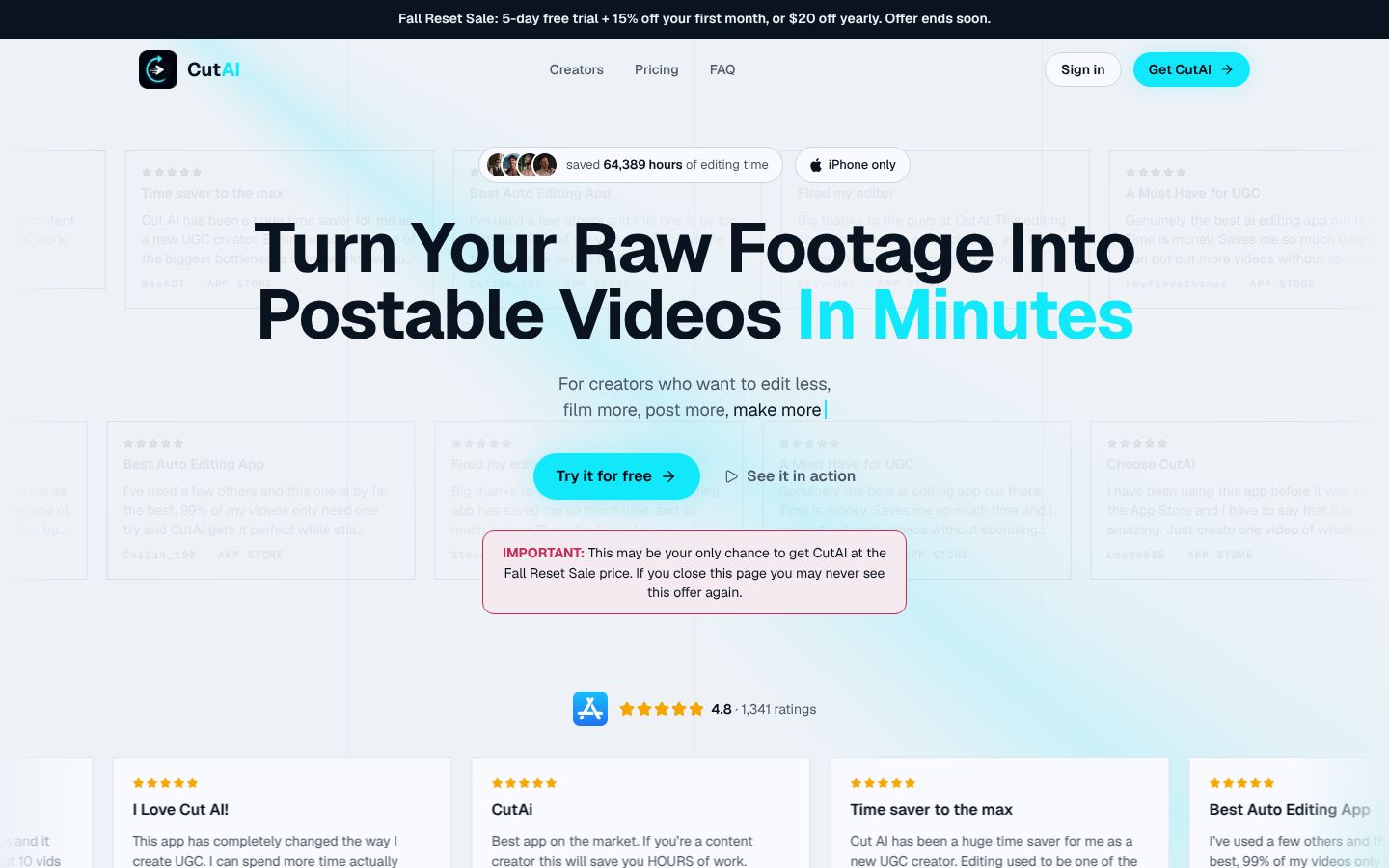
CutAI | Cut automatically | Not in what we checked | On the $49.99 Pro plan | iPhone only | From $19.99 a month |
What each phone editor does with a talking-to-camera take, what it costs and where it runs.
For a three-product brief, three takes come back as three drafts to check, with the opening tightened and the audio blended across each cut so you don't hear the edits. Anything you'd change, you change yourself in a few taps.
Today the closest phone retake-cutter is CutAI, which is iPhone-only and puts batch editing on its $49.99 Pro plan. Descript also removes retakes, but on desktop and web. We compare more in our guides to UGC editing apps, apps that cut retakes and bad takes and tools that edit several product videos at once.
ClipEasy isn't right for every brief. Dialogue-free unboxings cut to music suit CapCut or Edits, and multi-camera work suits DaVinci Resolve or Premiere Pro. With one or two briefs a month, free CapCut or Edits is enough.
ClipEasy is coming soon to iOS and Android, with three plans between $15 and $60 a month. Until then, use CapCut, or CutAI on iPhone, and get early access to ClipEasy on the waitlist at clipeasy.app.
In short:
Film your takes as you normally would, stumbles included.
Edit them in CapCut or CutAI today.
Join the waitlist if batch editing on your phone is the slow part.
How to apply to UGC platforms and get accepted
When you apply to be a UGC creator on these platforms, the test video is your application, so film it exactly to each platform's spec. Then keep live profiles on two or three platforms so brands can find you. Neither step needs a big portfolio.
Film JoinBrands' test to spec. JoinBrands wants a 45-to-60-second product demo, with you on camera in your own voice, in 1080p and with no music. Review takes 24 to 72 hours.
Film Billo's pitch separately. Billo wants a 30-second vertical video: a talking intro, a montage with your voiceover, and an outro asking brands to hire you. AI voices aren't allowed, and review takes up to 7 business days.
Apply to the two or three platforms that passed your country checks, all in the same week.
Of our 17 first-deal posts, 12 said how the deal came in. Marketplaces landed 9 of those 12, and pitching brands directly landed 2:
7 creators applied to a marketplace listing.
In 2 more, a brand or agency found the creator's marketplace profile.
Direct pitches landed 2 deals.
A brand spotting a social post landed 1.
Among the 10 posts that gave a timeline, the median wait for a first deal was 3 weeks.
You can also pitch brands directly by email or DM, but we'd start with marketplaces. One creator sent 350 emails and 384 DMs in two weeks, and her deal still came from a brand that emailed her by a route she never worked out. Keep a one-page portfolio ready for when a brand looks you up.
Beginners usually get underpaid on scope. The fee stays put while the deliverables grow. One creator accepted $375 for 6 videos without negotiating. Before you say yes, ask: 'What exactly am I delivering, and how long can you run it as a paid ad?'
Check | What to look for |
|---|---|
Count | Every video and every extra hook version, plus any raw files, which you price as their own deliverable |
Count | How long the brand can run the videos as ads |
Divide | The fee by the number of videos |
Walk away | Ad usage with no end date for a small fee |
Walk away | A request to move the chat to WhatsApp or Telegram |
Walk away | Removing your watermark before you're paid |
Walk away | Paying to see briefs, or spending more on product than the fee |
Run these checks before you say yes to your first brief.
For a scripted pitch, keep your eyes on the lens. CapCut and Edits both have a built-in teleprompter today. ClipEasy's will follow your voice and wait when you pause. Our roundups of auto caption apps and talking-head video editors cover the other options.
In short:
A test video filmed to spec is your application, and you don't need followers for it.
Live marketplace profiles won more of these first deals than cold pitching did.
Price every offer per video before you say yes.